
Find, Buy, and Sell Wholesale Plants in One Place.
Plant Sourcerer connects wholesale nurseries, growers, landscapers, and plant buyers in one easy-to-use platform. Quickly find available plants, compare suppliers, manage inventory, and simplify orders, all in one place.
See How Plant Sourcerer Works
Discover how Plant Sourcerer makes buying and selling wholesale plants easier.
For Growers & Wholesalers

For Landscapers & Plant Buyers

Less Busywork. More Time for Your Business.
Plant Sourcerer makes buying and selling wholesale plants easier with a simple, intuitive platform that's quick to learn and easy to use. Spend less time managing the details and more time growing your business.
Find Plants Faster
Search available plants from wholesale suppliers, compare options, and see what's in stock without spending hours making phone calls.
Manage Everything in One Place
Keep track of inventory, orders, and important details with an easy-to-use platform designed to simplify your daily work.
Spend Less Time on the Details
Reduce paperwork, repetitive tasks, and unnecessary back-and-forth so you can focus on your customers and your business.
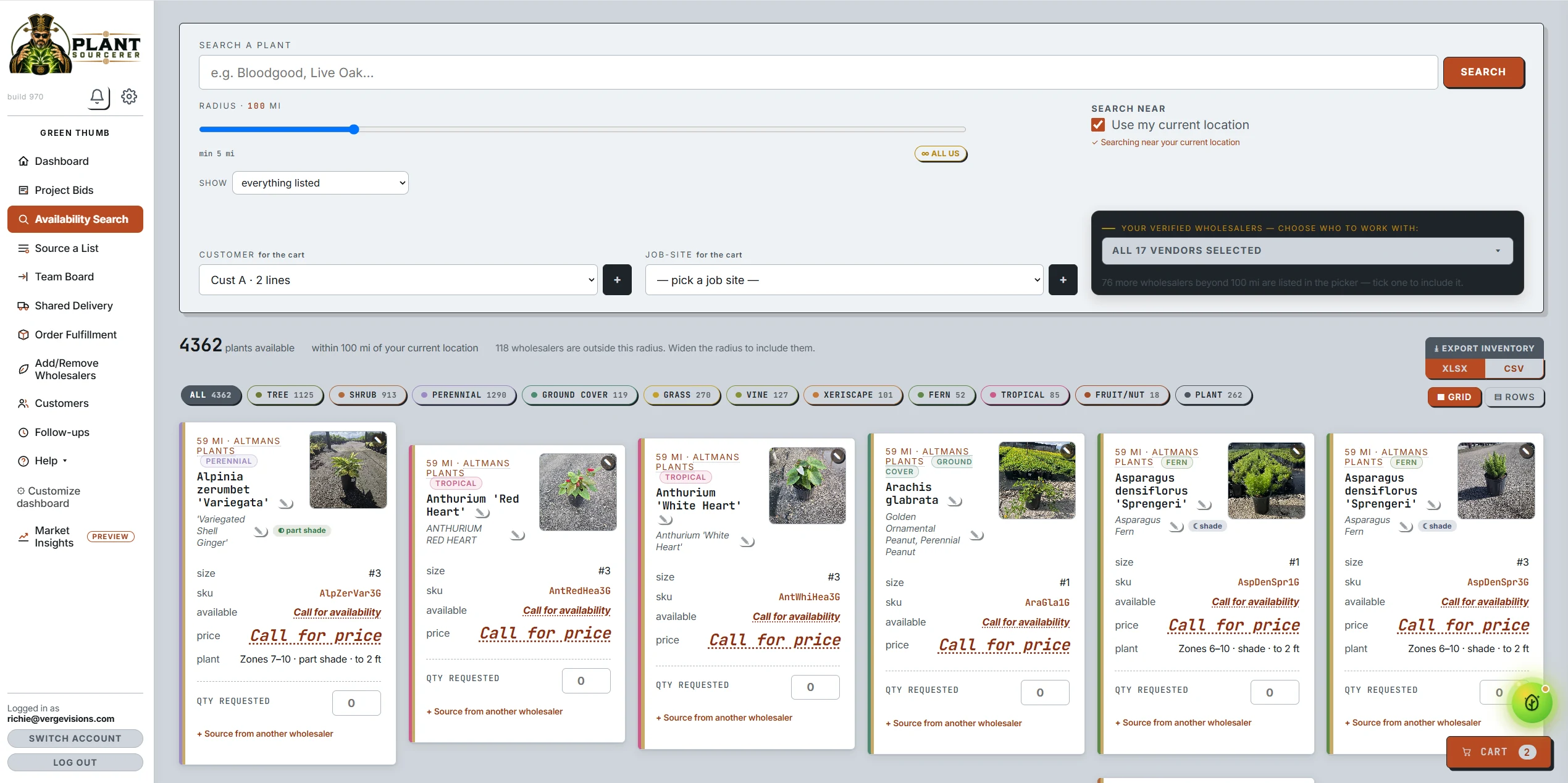
Simple, Flexible Pricing for Your Business.
Choose the plan that fits how you buy or sell wholesale plants. All plans are billed monthly, with no annual contract. Plans for selling plants also include a 1.5% fee on sales made through Plant Sourcerer. You can change or cancel your plan anytime. Not sure it pays for itself? Run the ROI calculator.
Wholesaler Pro
Growers & wholesale nurseries
+ 1.5% on sales through Plant Sourcerer
- Live availability from any price list
- Crop board, pull sheets & tasks
- Orders, invoices & reservations
- Per-customer pricing
- Counter register with tap-to-pay, works offline
- Project bids, presale, AI order intake
- Your customers' own phone app, storefronts & your website
- Growing costs, grading & recipes, tags & labels
- Get paid online into your own Stripe
- 5 users and 5 Field App users included; more at $49 and $29 per user
- Shared Delivery & QuickBooks Online/Desktop sync included
- Field App & customer app in English and Spanish
Procurement Platform
Procurement teams buying at scale
- Everything in Procure Lite
- Multi-vendor sourcing & auto-split; reads any grower's list
- Asks to growers, and bids with a beat-the-price round
- Customer quotes, approvals & online payment
- Purchase orders & fulfillment boards
- Team Board, tasks & shared team orders
- Re-wholesale: receive a lot and relist at your margin
- Shared Delivery
- 5 users on your team included; more at $49 each
- 5 free Procure Lite seats for your customers
Pro Package
Nurseries that sell and buy
+ 1.5% on sales through Plant Sourcerer
- Everything in Wholesaler Pro
- Everything in the Procurement Platform
- One login, both sides of the trade
- 5 users and 5 Field App users included
- Replaces either seat in your cart
Procure Lite
Landscapers, installers & buyers
- Live wholesale availability near you
- Search by plant, size & radius, or all of the US
- Compare every grower who has it, export what you see
- Reserve stock in one click
- English & Spanish, one tap to switch
- Works on any phone or desktop
Frequently Asked Questions
Have questions about Plant Sourcerer? Here are answers to some of the most common questions about the platform, pricing, and getting started.
Plant Sourcerer is an easy-to-use platform that connects wholesale plant growers, nurseries, landscapers, and buyers. It helps businesses find available plants, manage inventory, and simplify buying and selling wholesale plants.
It depends on how you use the platform.
- Wholesaler Pro: For growers and nurseries selling plants.
- Procurement Platform: For businesses managing plant purchases from multiple suppliers.
- Procure Lite: For landscapers and buyers looking for available plants.
- Pro Package: For businesses that both buy and sell wholesale plants.
Yes. The Field App, customer app, and Procure Lite support both English and Spanish, making it easier for your entire team to use the platform.
No. Plans are billed monthly, and you can cancel or change your plan anytime. You agree to our Terms of Service when you sign up.
Yes, for wholesalers. Wholesaler Pro and the Pro Package include a 1.5% fee on sales made through Plant Sourcerer. Buyers never pay it, and Procurement Platform and Procure Lite plans don't have it.
- What counts: orders you confirm in Plant Sourcerer and orders from your customer app. Sales on your own counter register don't count.
- How much: 1.5% of the plants sold. Freight and tax aren't included, and a cancelled order has no fee.
- How it's paid: when a customer pays you online, it comes out of that payment automatically. Anything paid another way is added to your monthly Plant Sourcerer bill.
- Where to see it: every sale and its fee is listed in your portal under Settings.
Every plan includes 5 users for your team, and Wholesaler Pro and the Pro Package also include 5 Field App users for your crew. One login works in every workspace you've paid for, so a business that buys and sells, or runs two nurseries, signs in once.
- Need more: add users any time from your Team page, $49 per user per month for the office apps and $29 per Field App user.
- Joining is easy: anyone with your company's email address can join your workspace on their own until the included users are taken; everyone else joins by invite.
Our optional onboarding service helps you get started by setting up your initial price lists, pricing, and other important details. We'll also walk your team through using the Field App in English or Spanish. Onboarding is a one-time $499.
Ready to Make Buying and Selling Plants Easier?
Spend less time searching, managing orders, and handling paperwork. Plant Sourcerer makes it simple to get started and easier to manage your business.
Get StartedManage Your Nursery. Sell More Plants. All in One Place.
Plant Sourcerer makes it easy for wholesale nurseries and growers to manage inventory, connect with buyers, process orders, and keep their business organized. With one simple, intuitive platform, you can spend less time on paperwork and more time growing and selling plants.
Everything You Need to Run Your Nursery More Efficiently.
From managing inventory and growing operations to processing orders and deliveries, Wholesaler Pro brings your daily tasks together in one easy-to-use platform.
A Simple Register for Nursery Sales.New this week
Process customer purchases, accept payments, and manage daily sales with an easy-to-use register designed for wholesale nurseries.
The Counter Register works on a tablet and connects to your plant inventory, customer pricing, and payment system. It also supports sales when your internet connection is unavailable.
- Accept Multiple Payment Types. Process cash, card, and check payments, including split payments.
- Apply the Right Pricing. Automatically use customer pricing levels, discounts, and volume pricing.
- Scan Plants at Checkout. Use QR codes or barcodes to quickly add plants to a sale.
- Keep Selling Without Internet. Continue processing supported sales when your internet connection is unavailable and sync them when service returns.
- Manage Daily Sales. Track register activity, reconcile cash, and review sales and refunds.
- Connect to QuickBooks. Sync sales information with QuickBooks when your accounting system is connected.
Make It Easy for Customers to Buy Directly From You.New this week
Create online storefronts where customers can browse your plants, see availability, and place orders. Customize how each storefront works for your business.
- Create Multiple Storefronts. Set up separate storefronts for retail, wholesale, or preorders.
- Sell Through Your Existing Website. Add plant availability and ordering to your current website.
- Control Who Sees Pricing. Choose whether customers can view prices or must sign in.
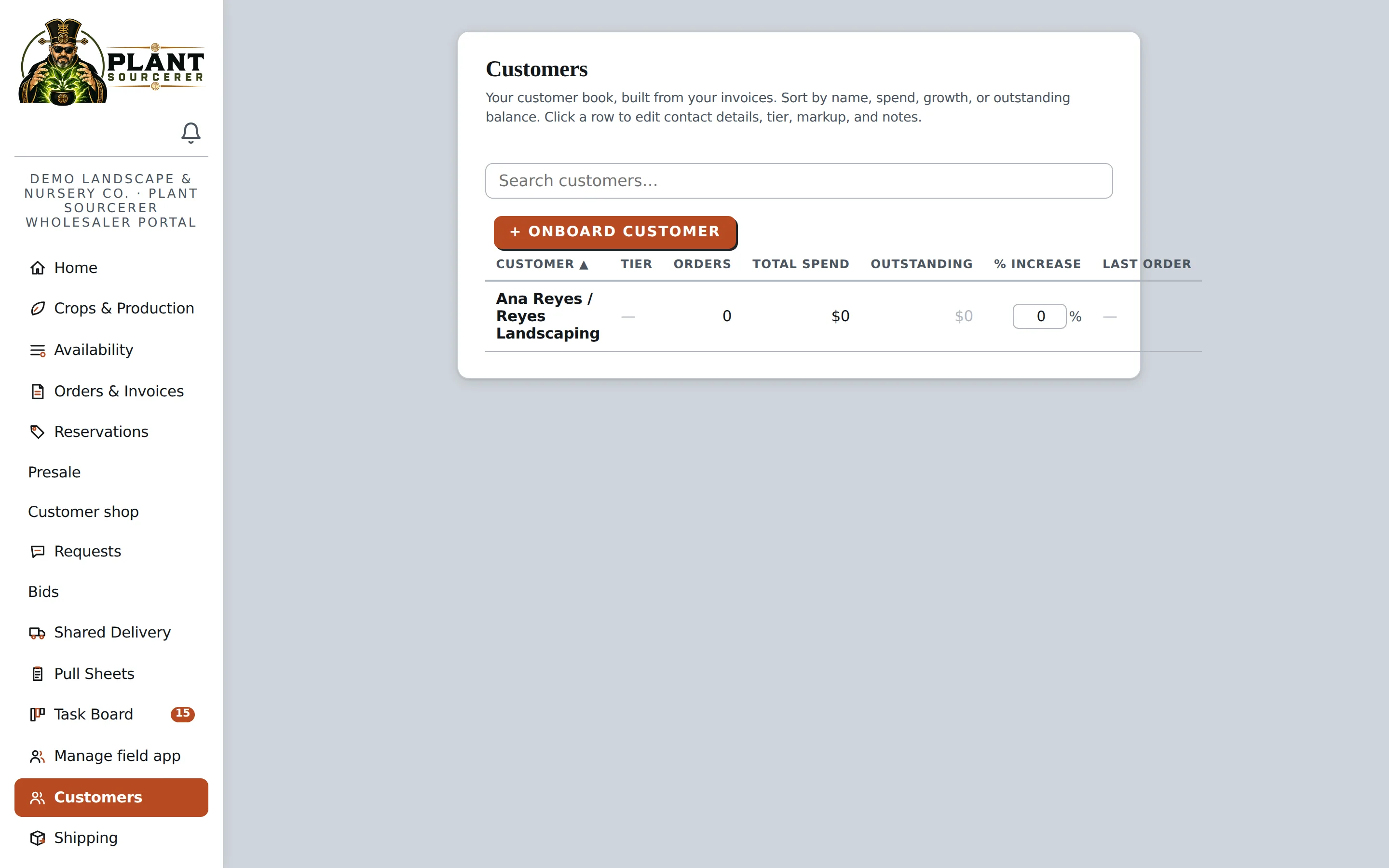
- Manage Customer Accounts. Give customers access to their orders, invoices, and payment options.
- Review Order Changes. Allow customers to request changes while keeping control over final approval.
Turn Emailed or Photographed Plant Lists Into Orders.New this week
Use AI to turn emailed orders, PDFs, or photos of handwritten plant lists into draft orders without manually entering every item.
- Save Time on Order Entry. Forward an email or upload a photographed plant list to create a draft order.
- Match Orders to Customers. Connect incoming orders with customer accounts and their assigned pricing.
- Review Before Confirming. Check plant details and quantities before finalizing an order.
- Identify Items That Need Attention. Flag plants the system cannot confidently identify so they can be reviewed.
- Keep Orders Moving. Once confirmed, orders can move into the normal inventory allocation and fulfillment process.
Know What It Costs to Grow Every Plant.New this week
Track production expenses, plant quality, inventory changes, and crop losses so you have a clearer picture of your costs and profitability.
- Track Growing Costs. Record materials, labor, and other expenses associated with growing each crop.
- Manage Plant Grades. Track plant quantities and quality grades throughout production.
- Organize Plant Lots. Separate crops by location, size, or grade while maintaining accurate records.
- Record Crop Losses. Track plant losses and the reasons behind them.
- Understand Inventory Value. View inventory costs and pricing to help evaluate profitability.
- Forecast Availability. Estimate future plant availability based on crops currently in production.
Set the Right Prices for Every Customer.New this week
Manage different pricing levels for wholesale buyers, individual customers, and procurement teams, all from one platform.
- Customize Customer Pricing. Set different prices based on customer accounts or pricing groups.
- Offer Volume Discounts. Adjust pricing based on order quantities.
- Control Ordering Rules. Set pickup schedules, order deadlines, and approval requirements.
- Manage Shipping Restrictions. Apply restrictions based on where certain plants can be shipped.
Simplify Delivery Paperwork and Confirm Every Order.New this week
Organize delivery documents, track shipments, and record proof of delivery, all in one place.
- Prepare Orders for Delivery. Organize plant orders by pickup date, delivery date, and availability.
- Create Picking Lists. Generate picking lists for individual orders, truckloads, or multiple orders being prepared together.
- Manage Truckloads. Keep track of truck capacity, delivery stops, and assigned drivers.
- Generate Delivery Documents. Create packing slips, truck sheets, and bills of lading without preparing everything manually.
- Keep Drivers Connected. Give drivers access to delivery routes and order information through the Field App.
- Record Proof of Delivery. Capture photos, customer signatures, and delivery confirmation details.
- Keep Customers Informed. Provide delivery updates and documentation so customers know when their plants have arrived.
Make It Easier for Customers to Pay You.New this week
Send invoices, accept online payments, and keep track of what customers owe, all from one easy-to-use platform.
Plant Sourcerer connects with your Stripe account so customers can pay directly online. Manage invoices, track payments, and reduce the time spent on billing and follow-up.
- Create Invoices Easily. Generate invoices directly from customer orders without entering the same information twice.
- Accept Online Payments. Let customers pay by card or bank transfer through your connected Stripe account.
- Make Paying Convenient. Give customers one payment link for multiple invoices and support partial payments.
- Manage Deposits & Credits. Track deposits, apply payments to orders, and manage customer credits.
- Stay on Top of Outstanding Payments. Set payment terms, send automatic reminders, and keep track of overdue invoices.
- Simplify Accounting. Connect with QuickBooks Online or Desktop to help keep invoices, payments, and financial records organized.
Create Plant Labels That Make Inventory Easier to Manage.New this week
Print customized plant labels with QR codes or barcodes so your team can quickly identify plants and access information.
- Create Custom Labels. Design plant and staging labels with the information your nursery needs.
- Add QR Codes or Barcodes. Make it easier to identify plants and access their records.
- Scan for Information. Scan a label using the Field App to view plant details.
- Simplify Checkout. Use labels to help locate plants in the counter register.
Understand Your Business at a Glance.New this week
View sales, inventory, customer activity, and financial information in one place so you can make more informed business decisions.
Plant Sourcerer makes it easy to see how your nursery is performing. Review important reports, compare results over time, and ask questions about your business using information from your own records.
- Track Sales & Revenue. See sales trends, revenue, top customers, and best-selling plants.
- Understand Your Inventory. Review available stock, inventory value, production costs, and plant losses.
- Monitor Outstanding Payments. See what customers owe and identify invoices that need attention.
- Compare Business Performance. Review results across different time periods to see how your business is changing.
- Have a question about your business? Just ask. Use Explore to ask questions like "Which plants sold the most this year?" or "Which invoices are overdue?" and get answers based on your business records.
- Export Reports Easily. Download information as CSV files when you need to review or share it.
Looking beyond your own nursery? The separate Market Insights add-on shows demand and price trends across the whole platform by region, plant, and season. Reports & Explore is included with Wholesaler Pro; Market Insights is optional.
Keep Your Plant Inventory Updated and Easy to Find.
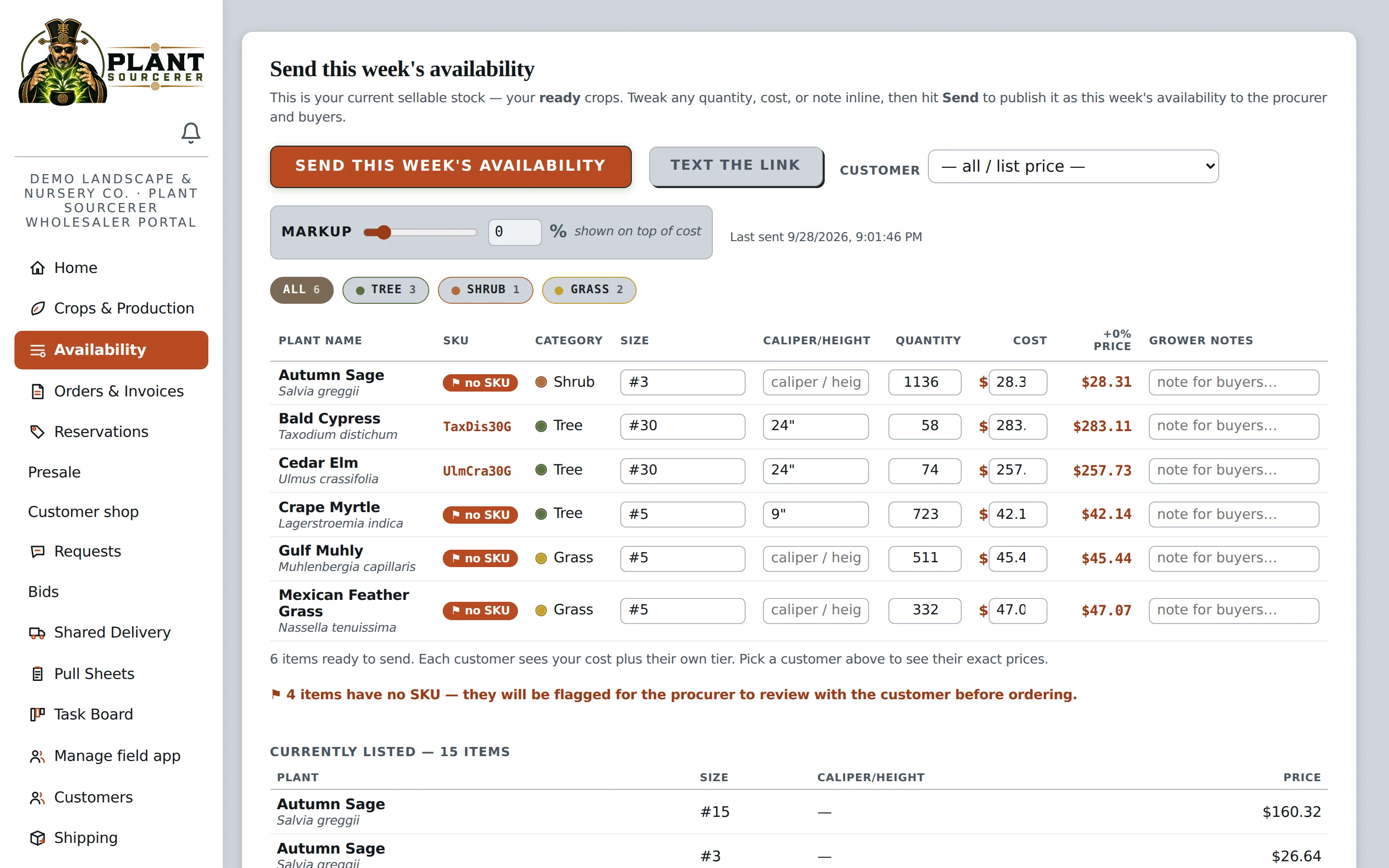
Upload your existing plant availability list, and Plant Sourcerer makes it searchable for buyers in your area. Update your inventory as needed so customers can see what's available.
- Upload your existing inventory list from a PDF, Excel file, or CSV.
- Update plant availability and pricing as often as needed.
- Add photos so buyers can see the actual plants you're selling.
Reserve Plants Without Double-Booking Inventory.
When a customer reserves plants, Plant Sourcerer automatically updates your available inventory so those plants aren't promised to someone else.
Keep Inventory Accurate
Reserved plants are automatically removed from available inventory until the reservation is confirmed or released.
Manage Reservations Easily
Confirm a reservation to turn it into an order, or decline it to make the plants available again.
Avoid Double-Selling
Know which plants are reserved so you don't accidentally promise the same inventory to multiple customers.
Give Your Customers an Easy Way to Order From You.
Provide customers with a dedicated app where they can browse your available plants, see their pricing, and place orders directly with your nursery.
- Easy Customer Access. Customers can access the app through a link or QR code without downloading anything from an app store.
- Your Nursery, Your Customers. The app is dedicated to your business rather than a marketplace featuring competitors.
- Personalized Pricing. Customers see the pricing you've established for their accounts.
- Keep Sales Direct. Customer relationships, orders, and payments stay with your nursery.
From the QR code at the counter to an order for pickup.
A landscaper standing at your counter can be ordering for tomorrow's pickup before the coffee's poured. No login to forget, no app store to find. These are the live screens.
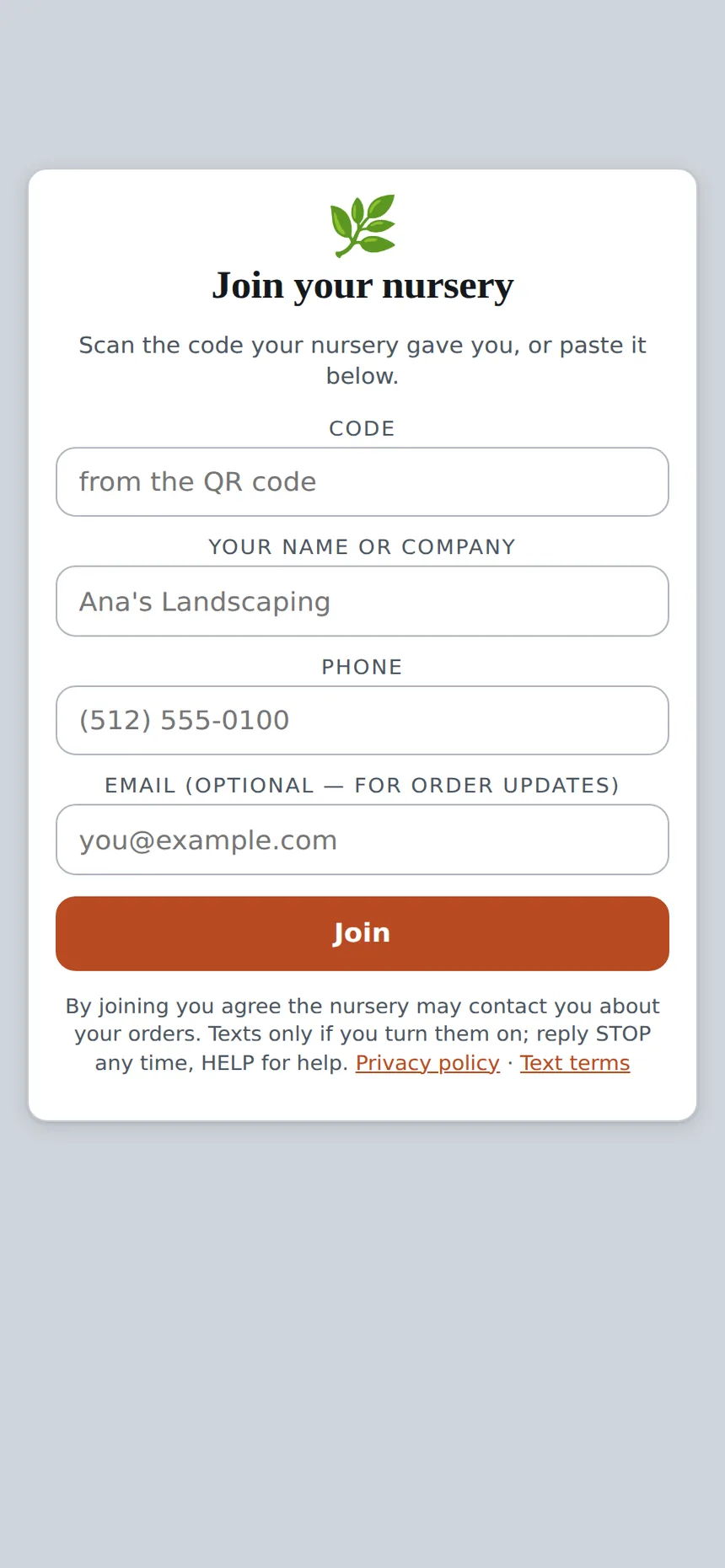
Scan the code, join in one tap
They scan the code at your counter (or the link on your availability email), type their name and number, and they're in. It's your nursery, not a marketplace.
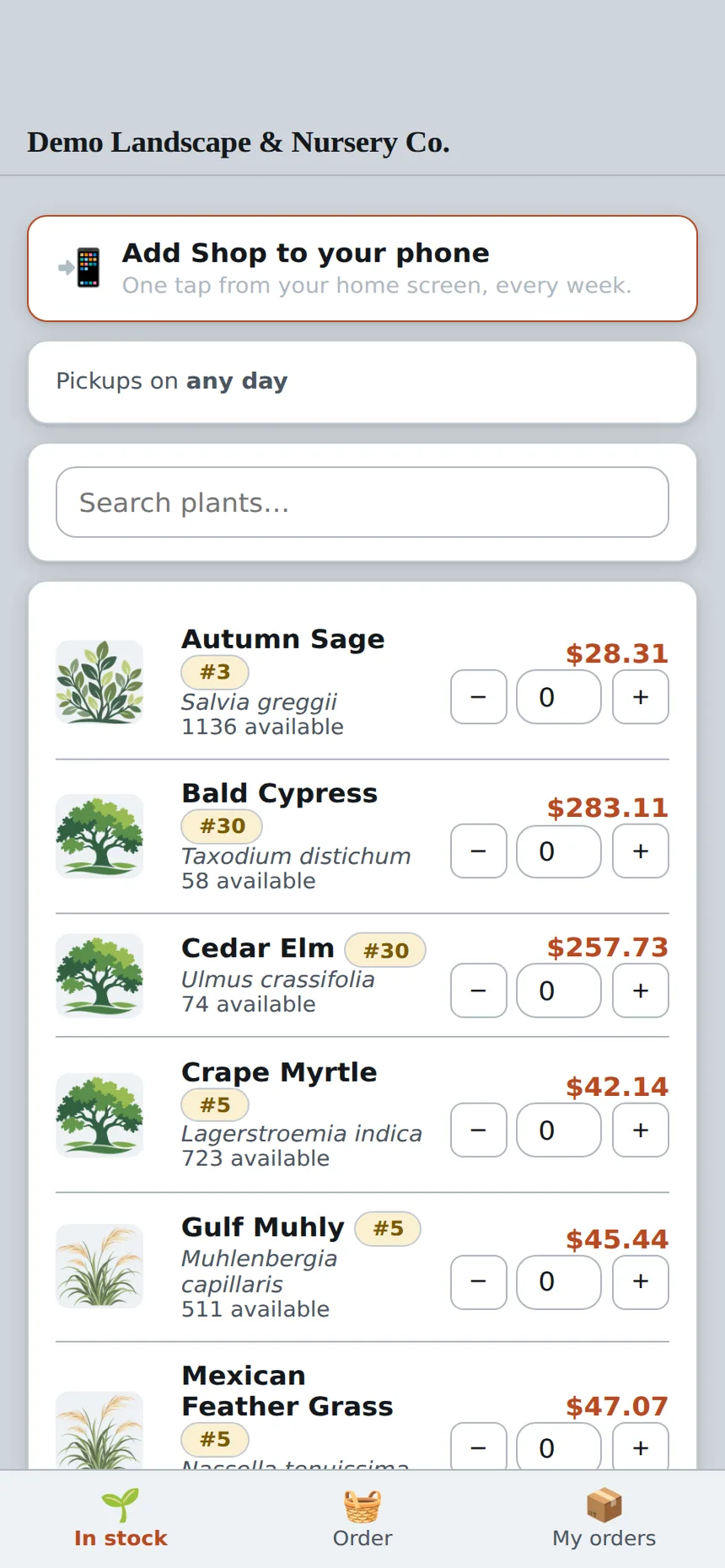
See your yard, at their price
Your live availability with your photos, priced at the tier you gave them, and a pickup day from the days you load. Tap plus, tap Order, done.
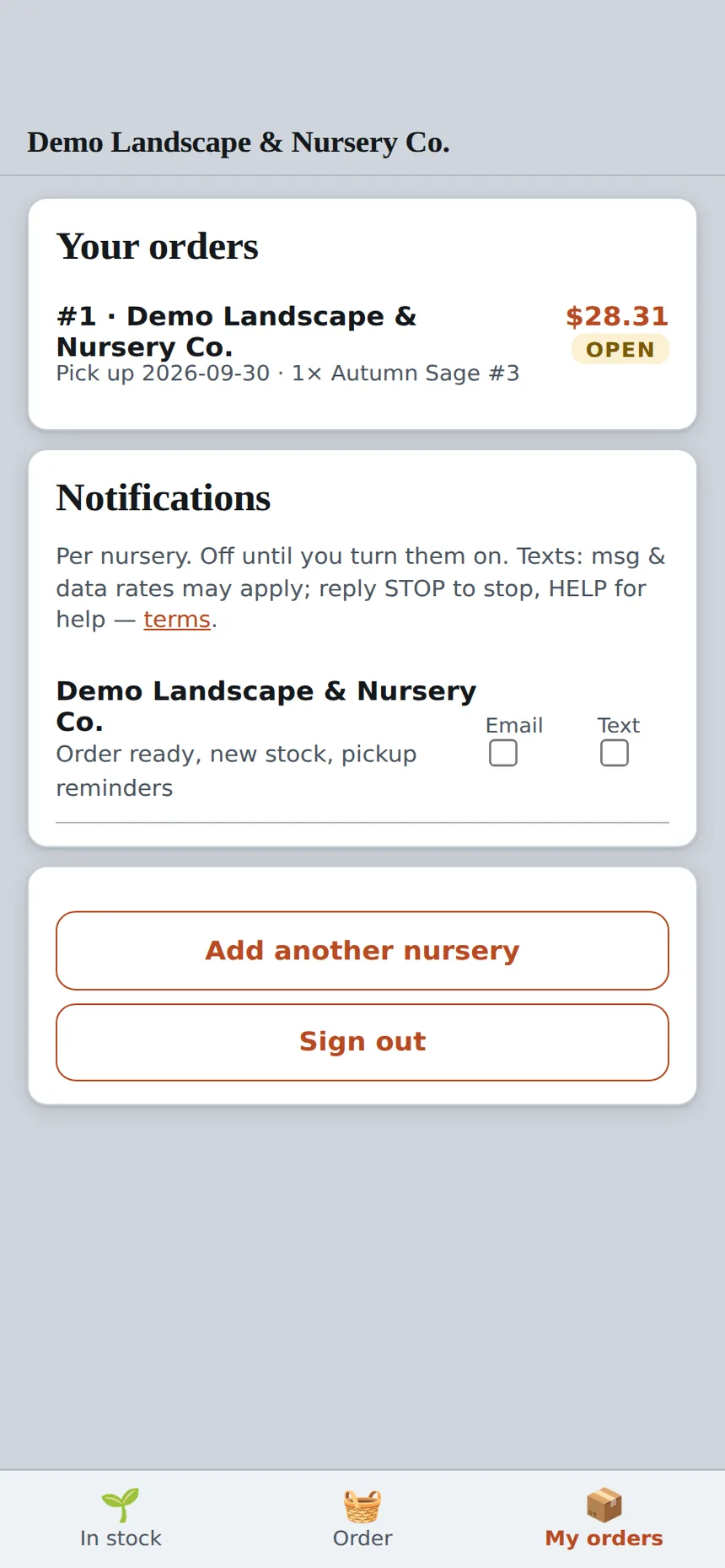
Their orders, their notifications
Every order with its pickup date and status. Texts and emails are off until they switch them on, per nursery: order ready, new stock, pickup reminders.
Put your nursery on your customers' phones this week.
Your QR code, your prices, your pickup days. Set up in an afternoon, in English and Spanish.
Your regulars see your stock, at their price, and arrange pick-up on the days you choose.
A link or a QR code at the counter installs it on their phone. No app store, no password to forget. It shows only your nursery, with each customer's own price tier, live counts and the pickup days and hours you set. They tap the quantities in, pick a pickup slot and get told when the order is staged.
Join your nursery
In stock
My orders
Return in the first month
- Orders come in at night and on weekends, when nobody is answering the phone
- Each customer sees their tier, so the counter price and the app price never disagree
- Reservations hold stock the moment they are placed. Nothing sells twice
Communication
- Order ready, new stock and pickup reminders by text or email, from your number
- Customers only get texts they turned on, and STOP always works
- Pickups land on the days and hours you chose, not on a Sunday nobody planned for
Team organization
- Every app order becomes a pull sheet line and an invoice without retyping
- Staged orders show on the Field App with the customer's name on the cart
- Orders, holds and pickups sit in one list the office and the yard both see
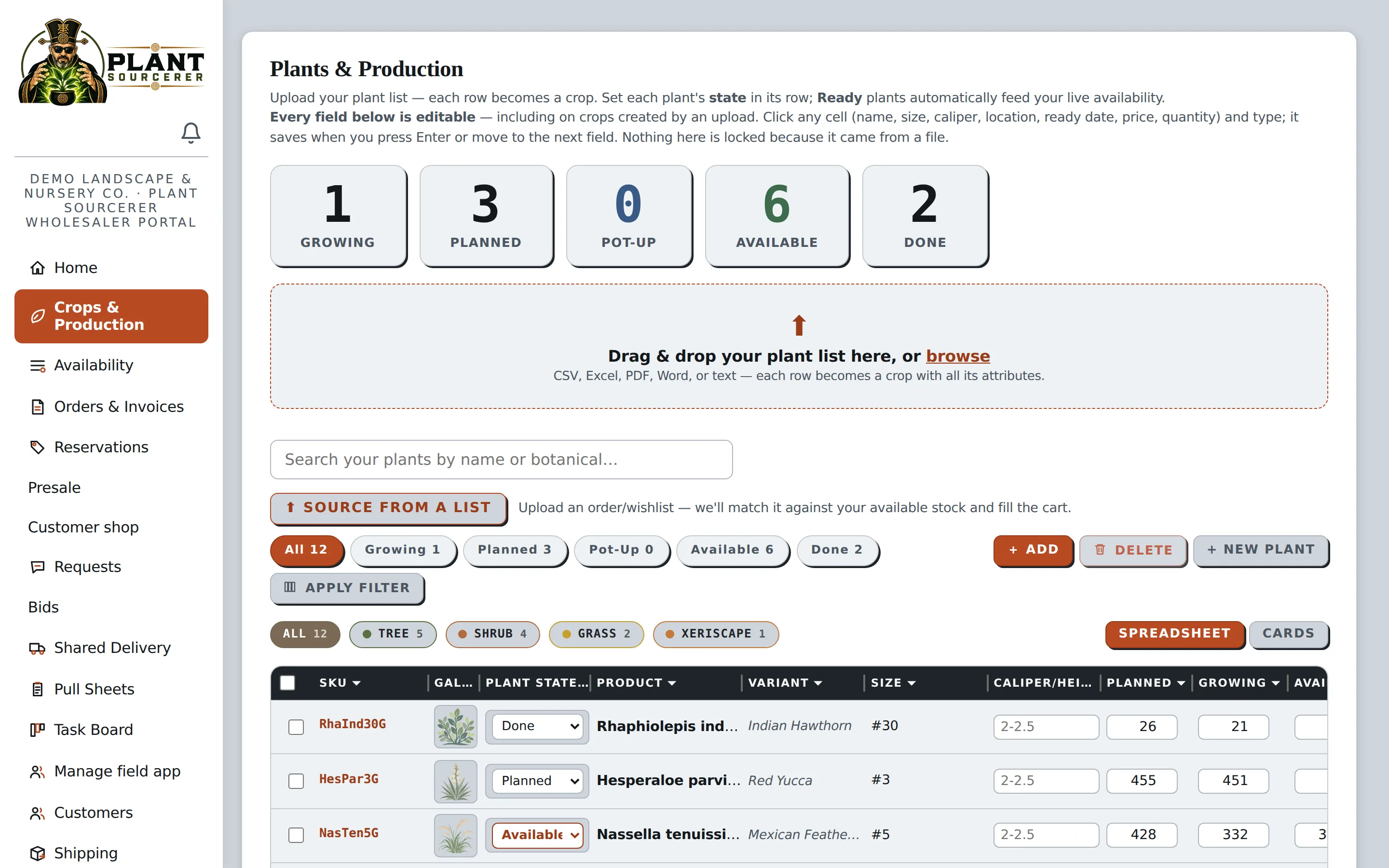
Manage Your Crops from Planting to Sale.
Track your plants through every stage of production, from planning and growing to availability and sale, all in one organized system.
- Track Crop Progress. See which plants are planned, growing, ready for potting up, available, or finished.
- Import Plant Lists. Upload existing plant information from Excel, CSV, PDF, Word, or text files.
- Find Information Quickly. Search and filter crops by plant name, category, or production stage.
- Update Inventory Easily. Move plants into available inventory as they're ready to sell.
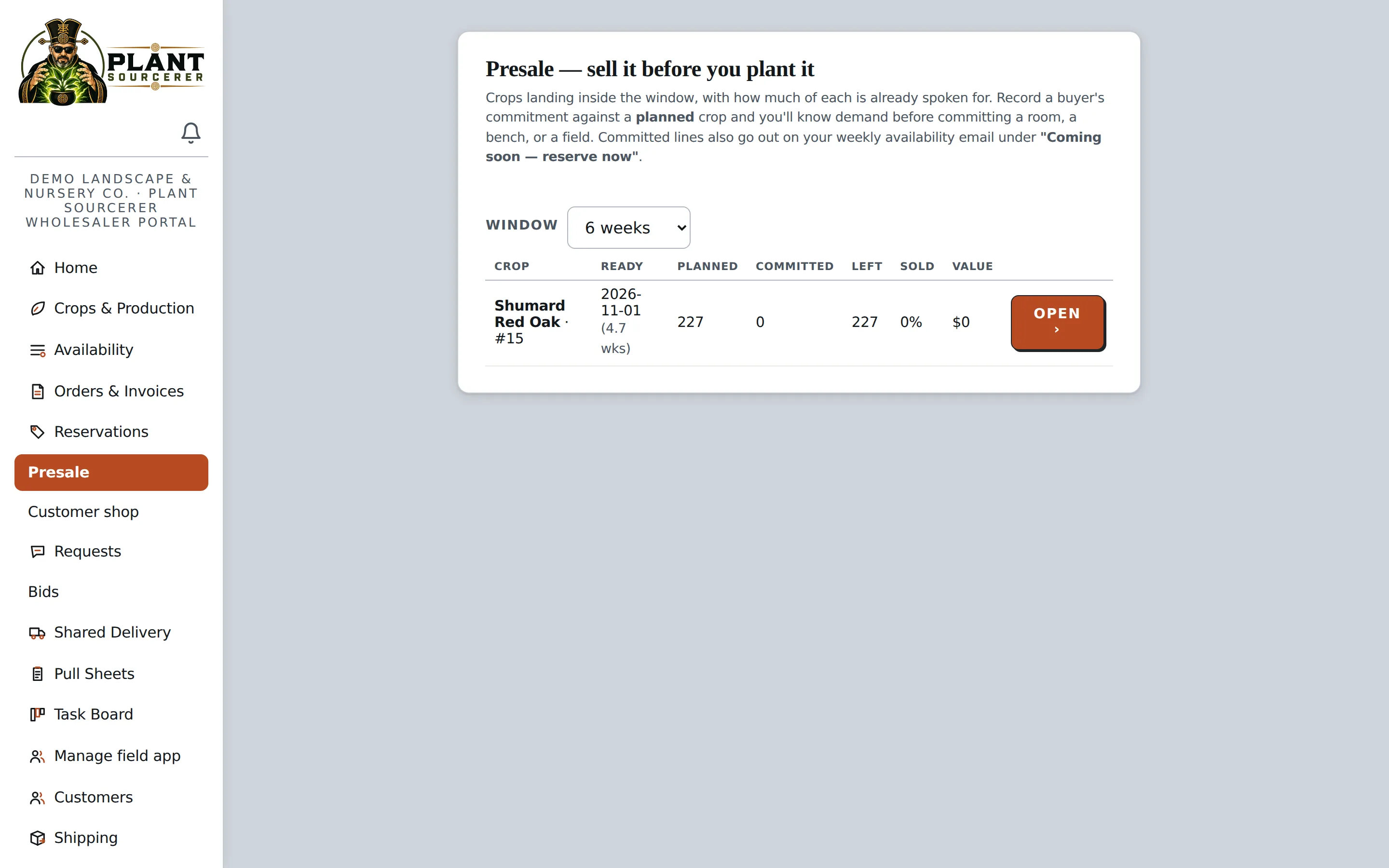
Sell Plants Before They're Ready.
Let customers reserve upcoming crops before they're available, helping you plan production around actual customer demand.
- Accept Early Commitments. Let buyers reserve plants from future crops.
- Plan With Confidence. See how much inventory is already committed before plants are ready.
- Manage Available Quantities. Track what's reserved and what's still available for sale.
Find New Sales Opportunities Through Project Bids.
Receive plant requests from procurement teams working on larger projects. Review what they need, submit your pricing, and bid on the plants you can supply.
- Discover New Opportunities. Receive requests for plants needed on upcoming projects.
- Respond Easily. Review plant quantities, sizes, and deadlines in one place.
- Bid on What You Have. Submit prices for the plants you can supply without bidding on the entire project.
| Plant | Needs | You have | Your price |
|---|---|---|---|
| Live Oak#65 | 40 | 40 | |
| Crape Myrtle#30 | 25 | 0 · skip | 0 |
| Yaupon Holly#5 | 120 | 466 | |
| Pink Muhly1 gal | 300 | 1,500 |
Keep Your Nursery Team Organized.
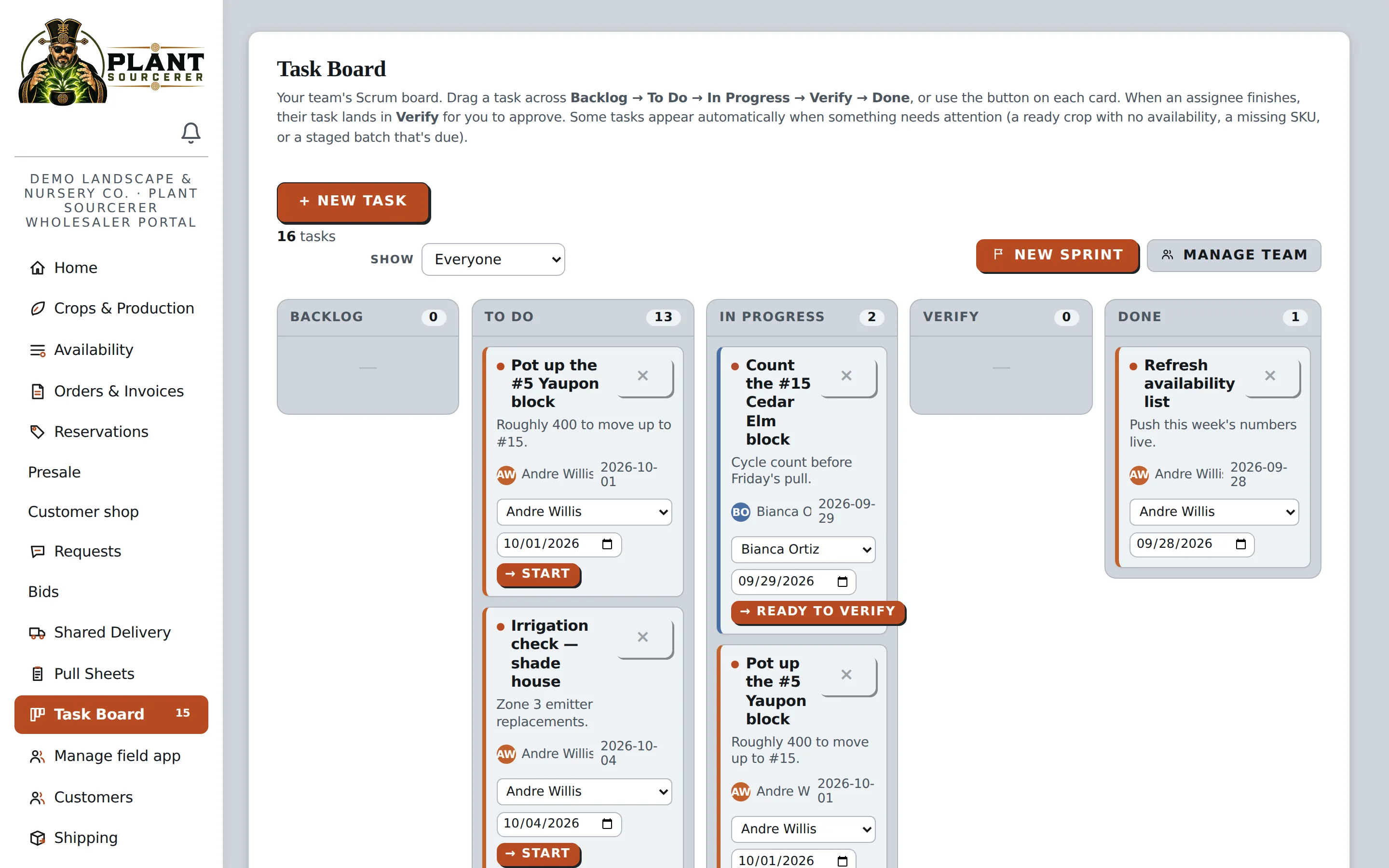
Assign tasks, set deadlines, and track progress in one easy-to-use task board so everyone knows what needs to be done.
- Assign Daily Tasks. Give team members specific responsibilities and due dates.
- Track Progress. See which tasks are waiting, underway, ready for review, or completed.
- Manage Work from Anywhere. Employees can view and update their tasks directly from their phones.
- Stay on Schedule. Keep important nursery work organized and identify tasks that need attention.
Manage Nursery Work Right from Your Phone.
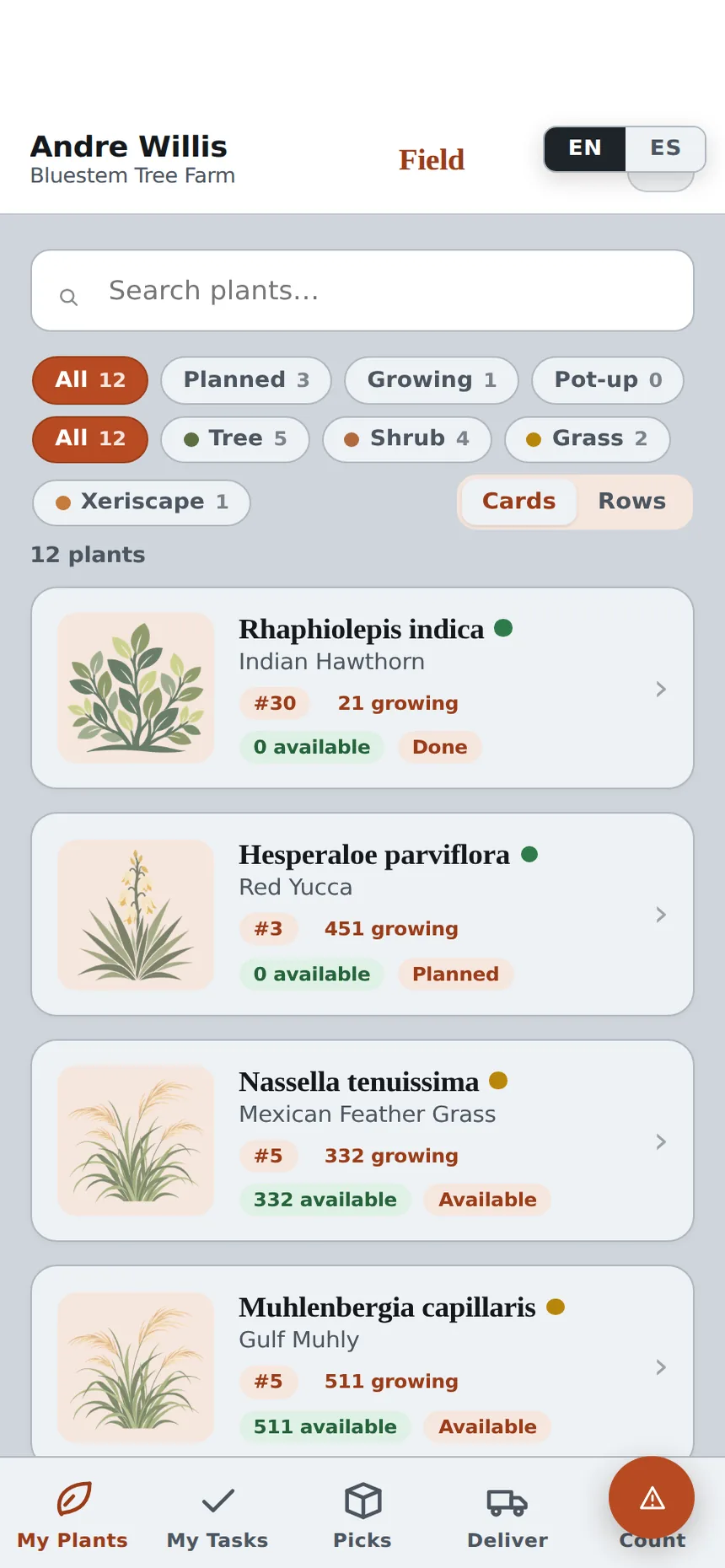
Give your crew an easy way to check inventory, update plant counts, manage tasks, and track orders while working in the nursery.
- Check Plant Inventory. View plants, quantities, and production stages directly from your phone.
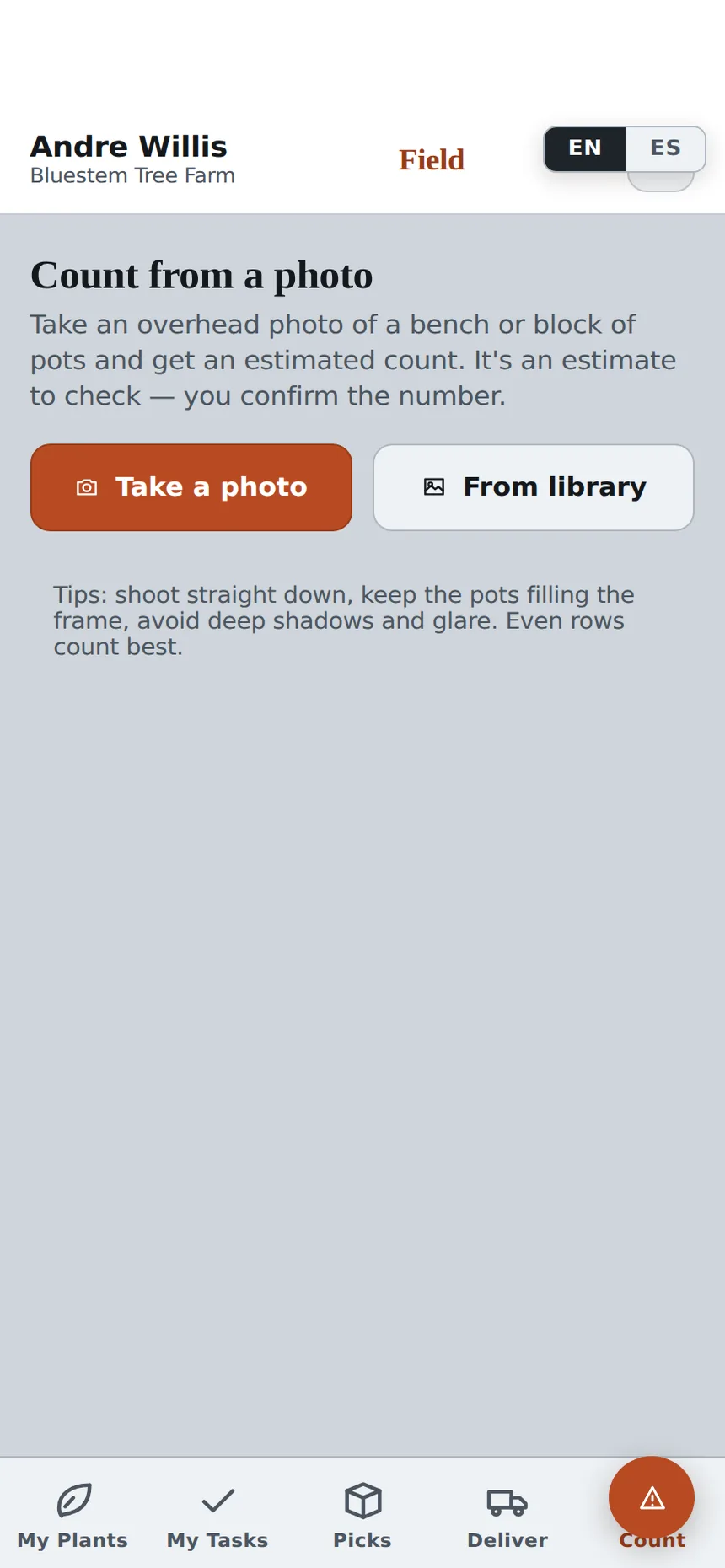
- Update Plant Counts. Take a photo to help count plants and update inventory.
- Manage Daily Tasks. View assigned work, track progress, and mark tasks complete.
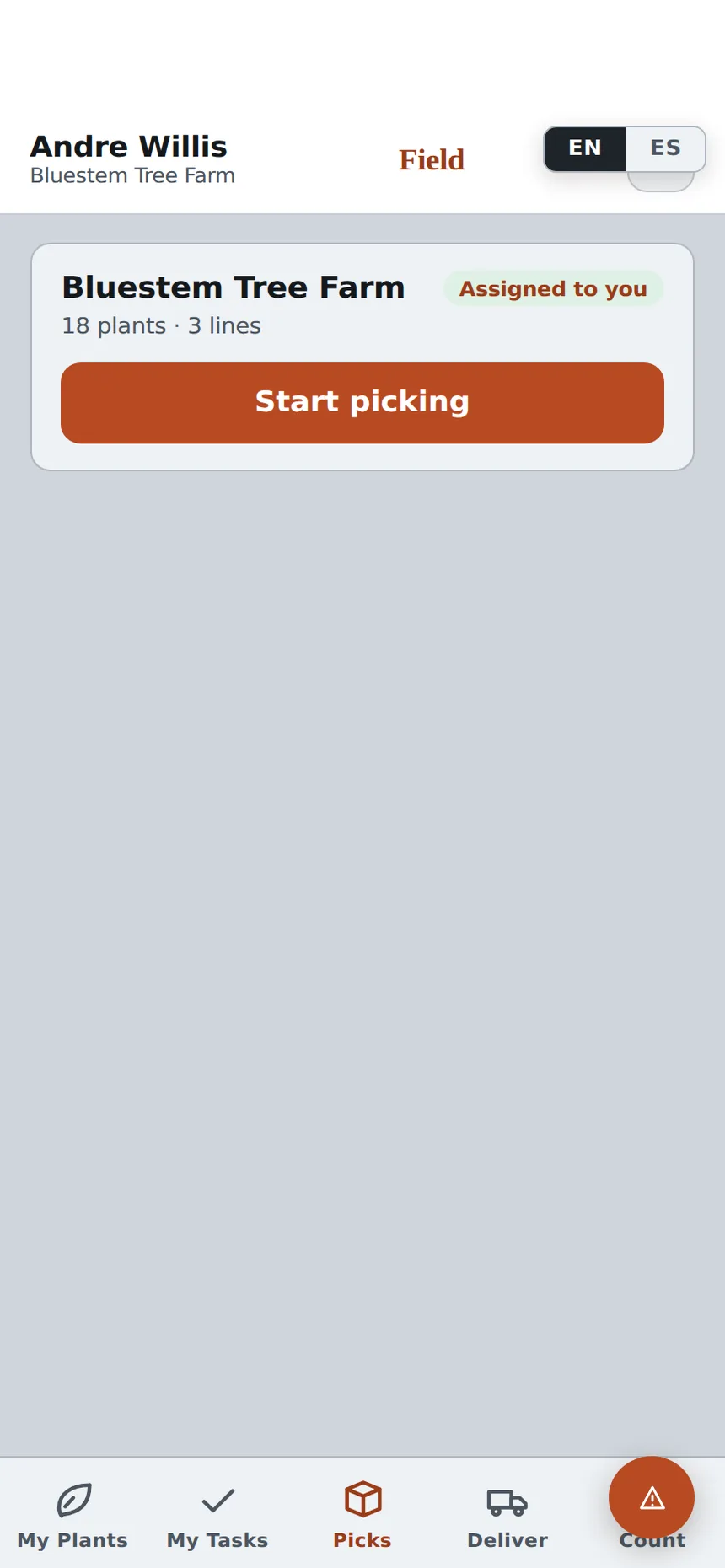
- Organize Orders. Access picking and delivery information while working in the nursery.
- Scan a Tag. Point the phone at the QR code or barcode on a plant tag to open that plant.
- Work in English or Spanish. The whole app switches, screens and messages included.
- Five Field App users are included with Wholesaler Pro. Additional users are $29 each per month.
My Plants
Picks
Count from a photo
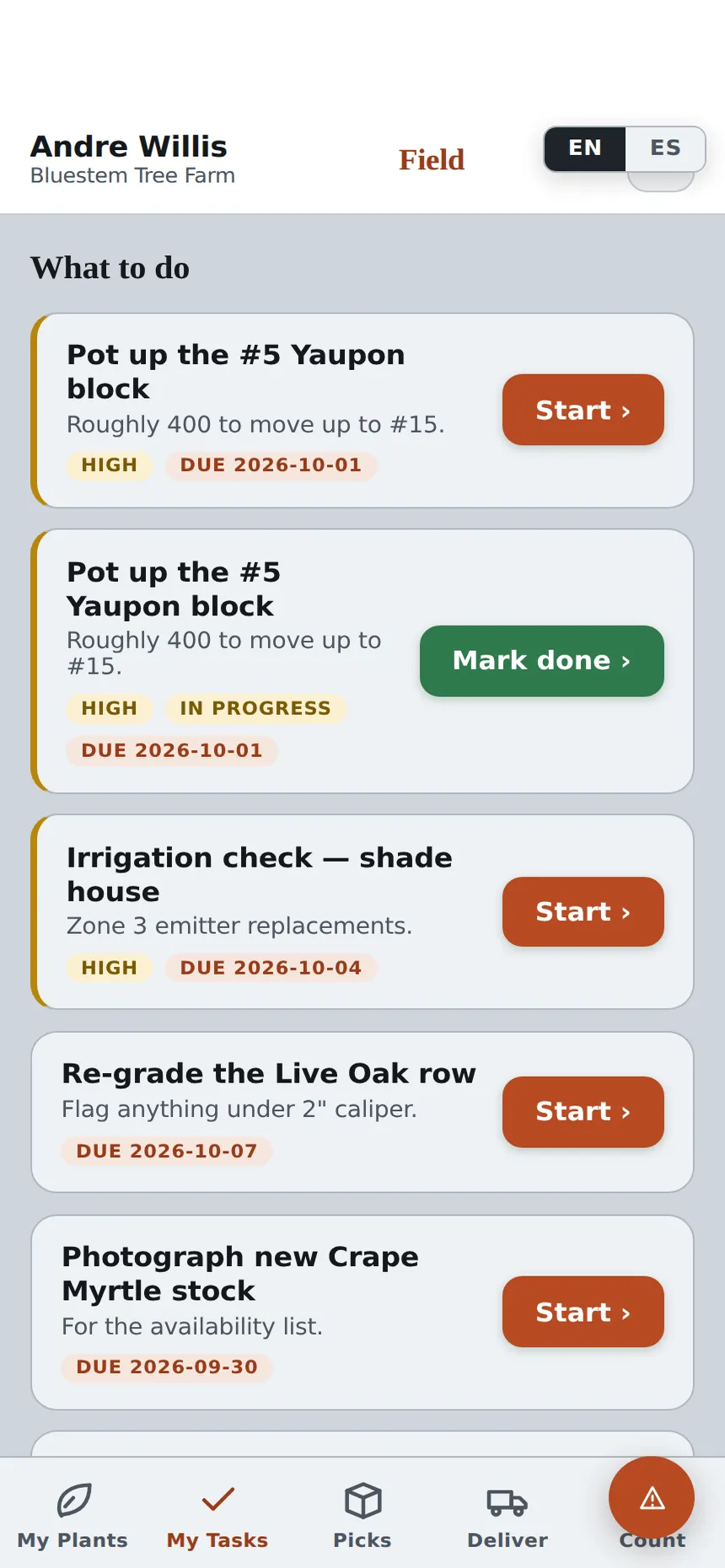
My Tasks
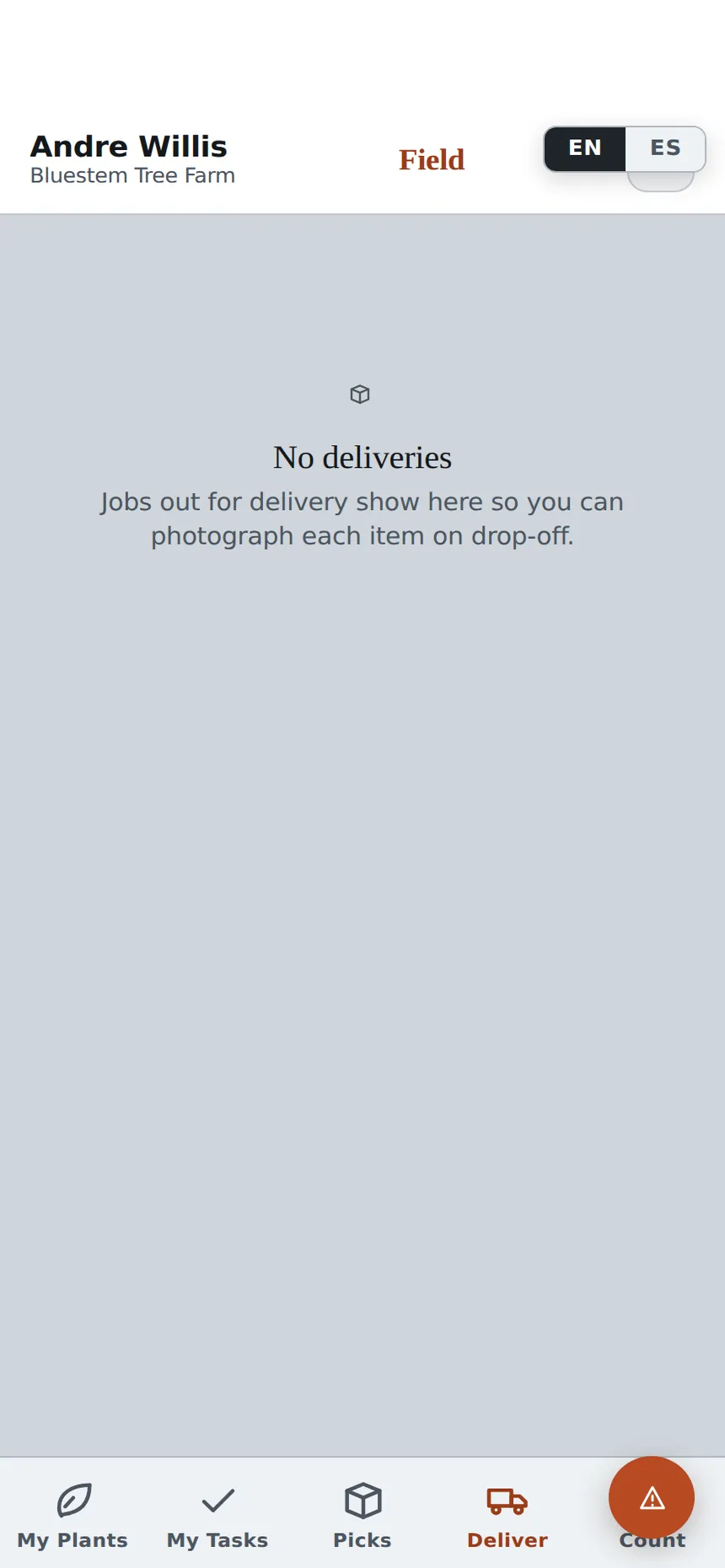
Deliver
Your team stays connected without returning to the office.
The Field App keeps your team connected to the information they need without constantly returning to the office. Available in English and Spanish, it's designed to make everyday nursery work faster and easier.
How the Field App and the office stay in sync.
A crew member photographs a bench and confirms the count the app suggests.
Your available inventory updates right away, and buyers see the new count.
The crew checks off each line as plants are pulled for an order.
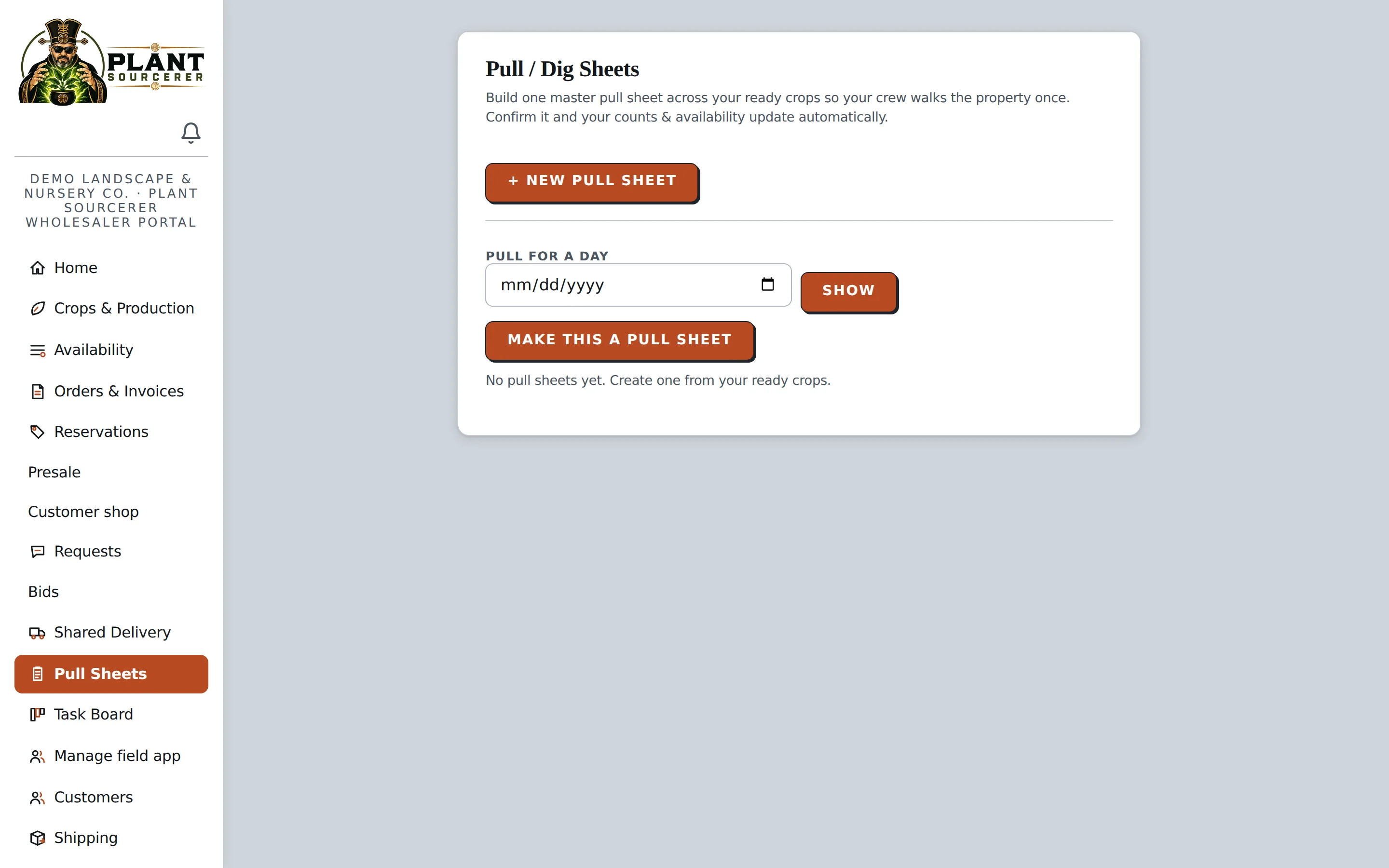
The pull sheet updates as lines are completed, and the order is marked staged when finished.
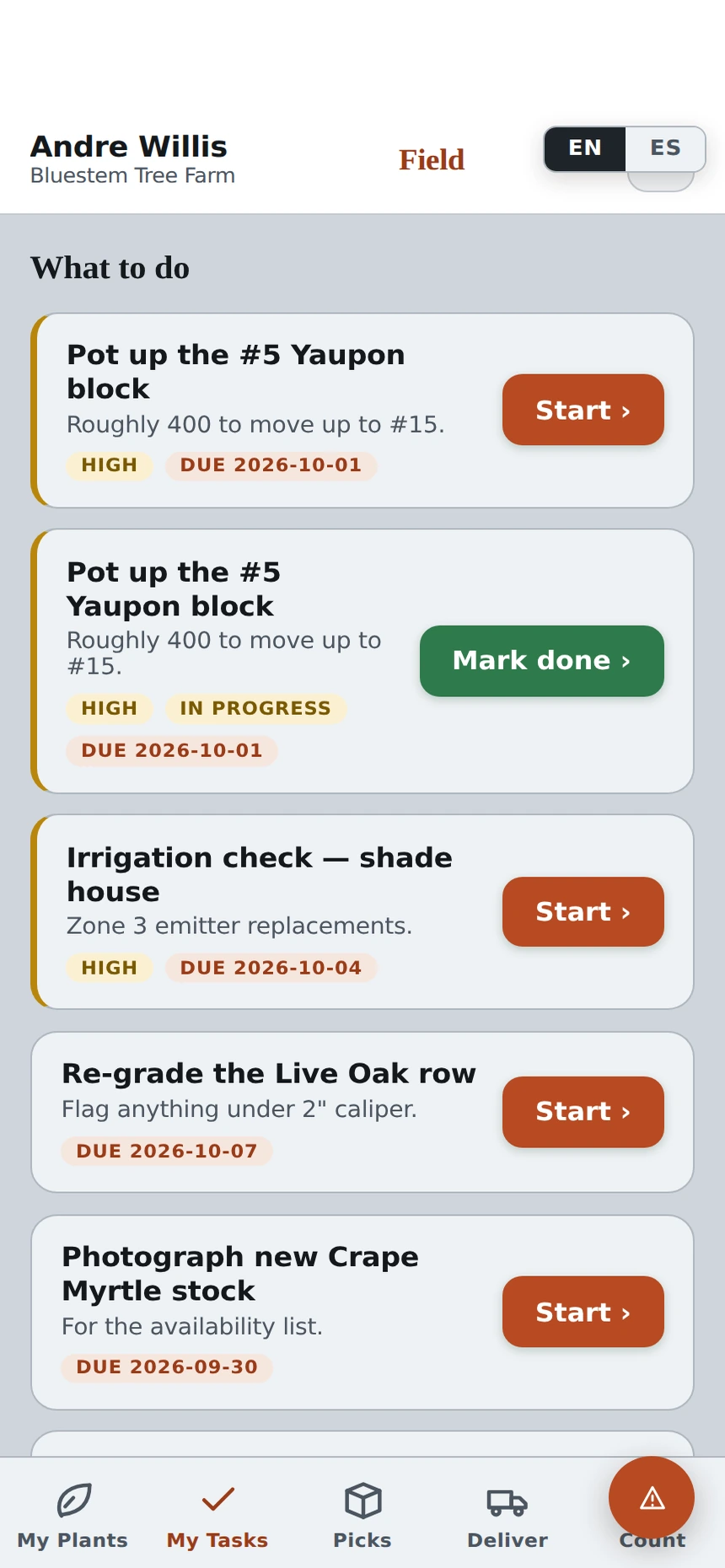
A crew member marks a pot-up done from the row.
The task moves to Verify on the board for the office to confirm, with nothing to retype.
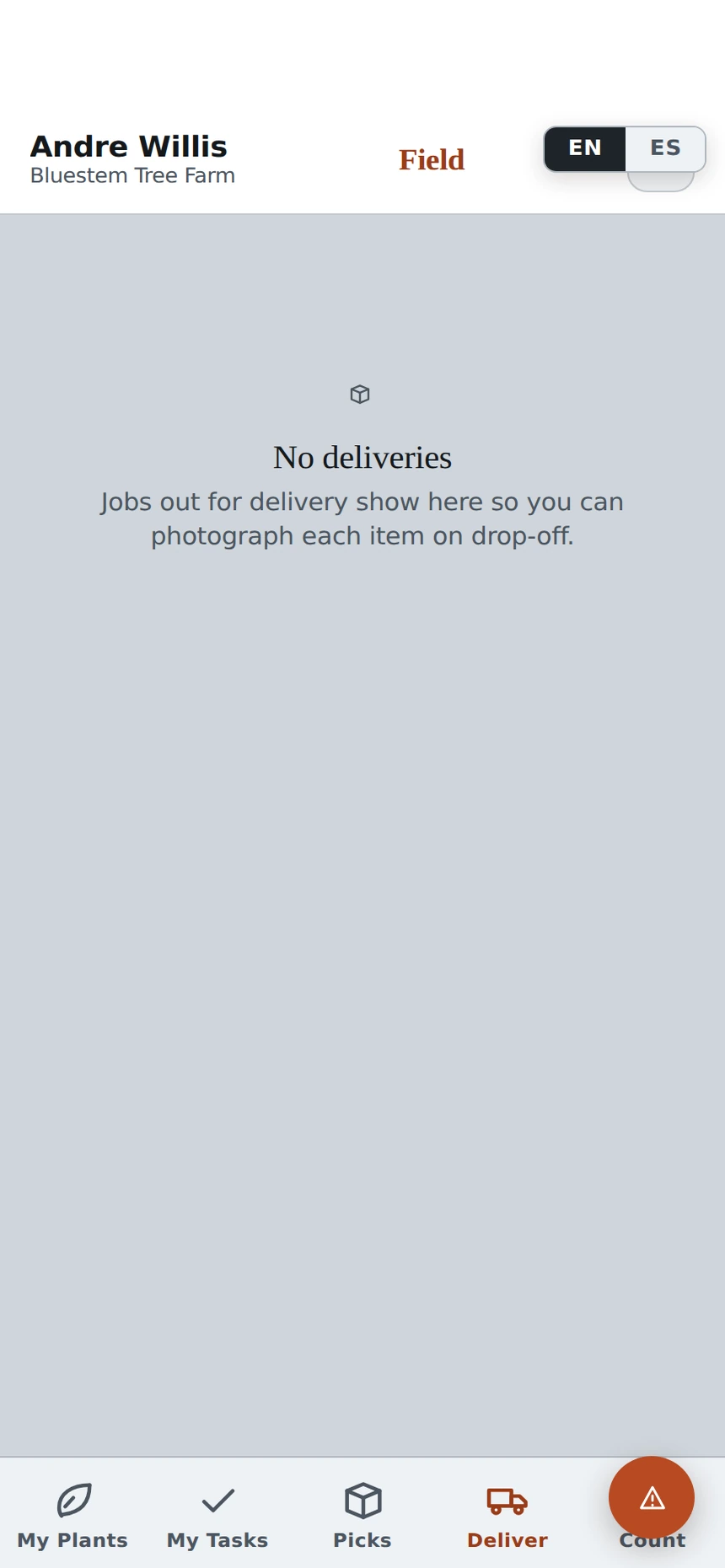
The driver photographs each item on drop-off.
The photo is saved to the order, the status changes to Delivered, and the customer is notified.
The phones and the office portal share the same records, so an update made in the nursery shows up in the office right away.
Save Time in the Nursery
- Update plant counts directly from your phone.
- Manage picking and daily tasks without printed paperwork.
- Reduce inventory errors and unnecessary trips back to the office.
Keep Everyone Connected
- Share inventory updates between the office and nursery.
- Give employees instructions in English or Spanish.
- Keep the team working with the same information.
Keep Your Team Organized
- Assign tasks with clear responsibilities and deadlines.
- Let employees track and complete work from their phones.
- Five Field App users are included. Add more as your team grows, $29 each per month.
Make Better Use of Every Delivery Truck.
Coordinate deliveries with nearby growers and wholesalers to make better use of available truck space and help reduce transportation costs.
Share Available Truck Space
Let nearby growers use available space on your scheduled deliveries.
Join Other Deliveries
Arrange to send smaller orders on another grower's delivery instead of running a separate truck.
Plan Deliveries More Easily
Enter your truck information so the platform can help organize loads based on available space.
Reduce Unnecessary Trips
Combine compatible deliveries to help reduce half-empty trucks and unnecessary transportation costs.
Keep Deliveries and Pickups Organized.
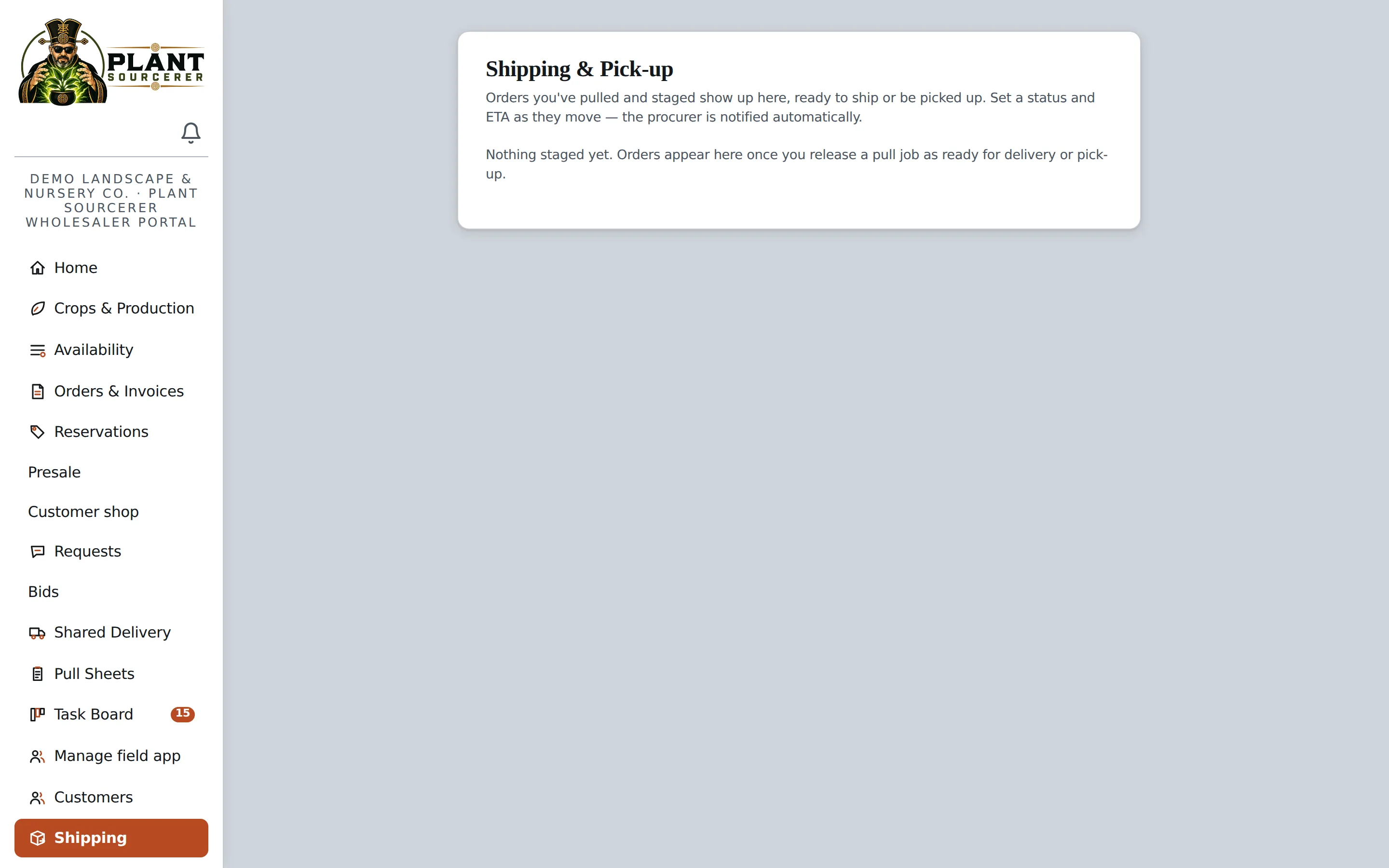
Track orders as they're prepared, staged, shipped, or picked up. Keep your team and customers informed with clear order updates and expected delivery times.
- Track Order Progress. See which orders have been pulled, staged, sent out for delivery, or delivered.
- Share Delivery Updates. Keep customers and procurement teams informed about order status and expected arrival times.
- Organize Pickup Orders. Make it easy to see which orders are ready for customer pickup.
- Keep Everyone Informed. Help your team stay organized with updated shipping and pickup information in one place.
Manage Orders and Invoices Without the Extra Paperwork.
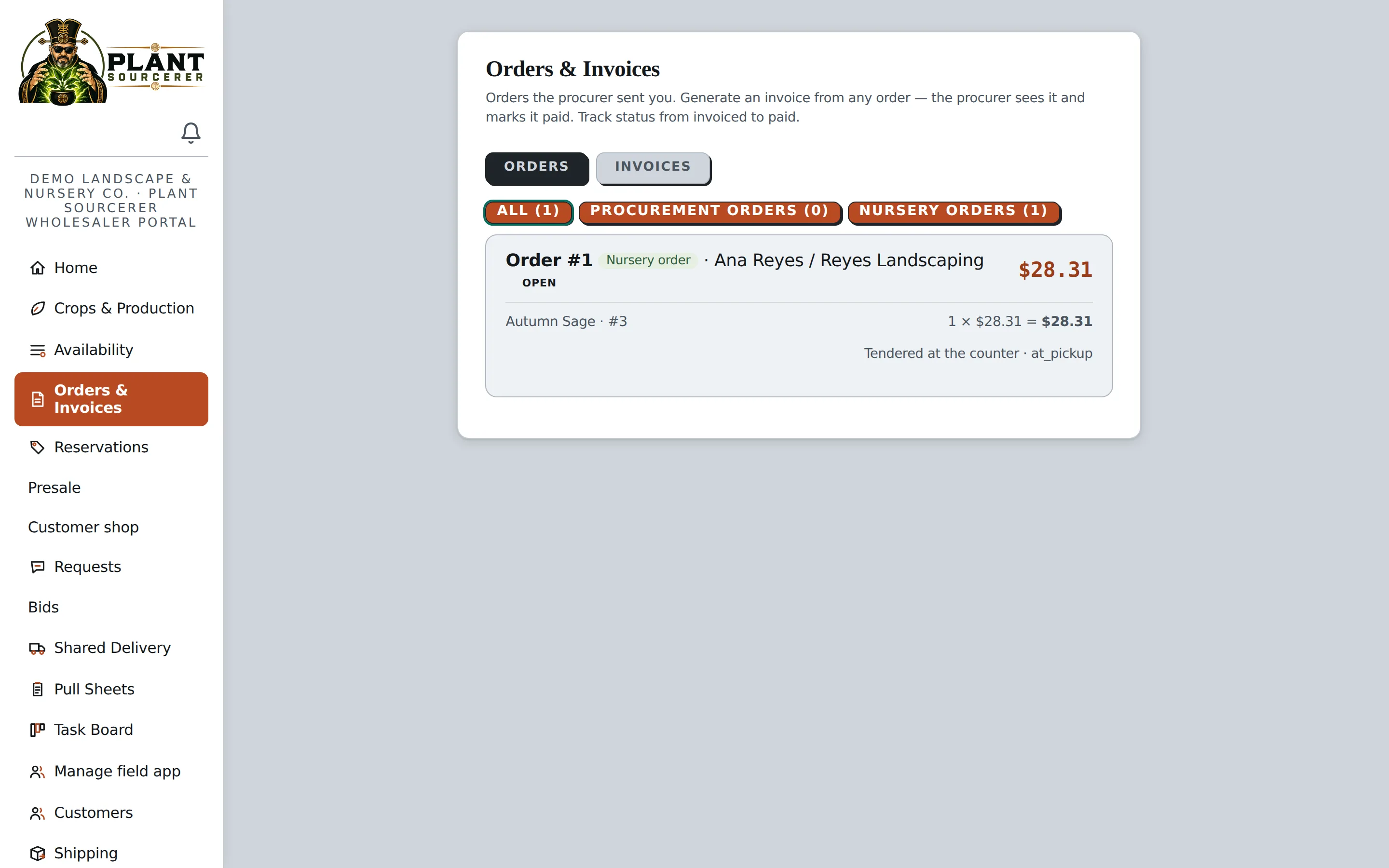
Keep customer orders, invoices, and payments organized in one place. Create invoices directly from orders, track payment status, and reduce repetitive data entry.
- Keep Orders Organized. View customer orders, reservations, and invoices in one place.
- Create Invoices Easily. Generate invoices from existing orders without entering the same information twice.
- Track Payments. See which invoices are paid and which still have outstanding balances. Card and bank payments go into your own Stripe account, with the 1.5% Plant Sourcerer fee taken out automatically.
- Connect Your Accounting. Sync sales information with QuickBooks to simplify bookkeeping.
- Manage Customer Pricing. Automatically apply the pricing assigned to each customer.
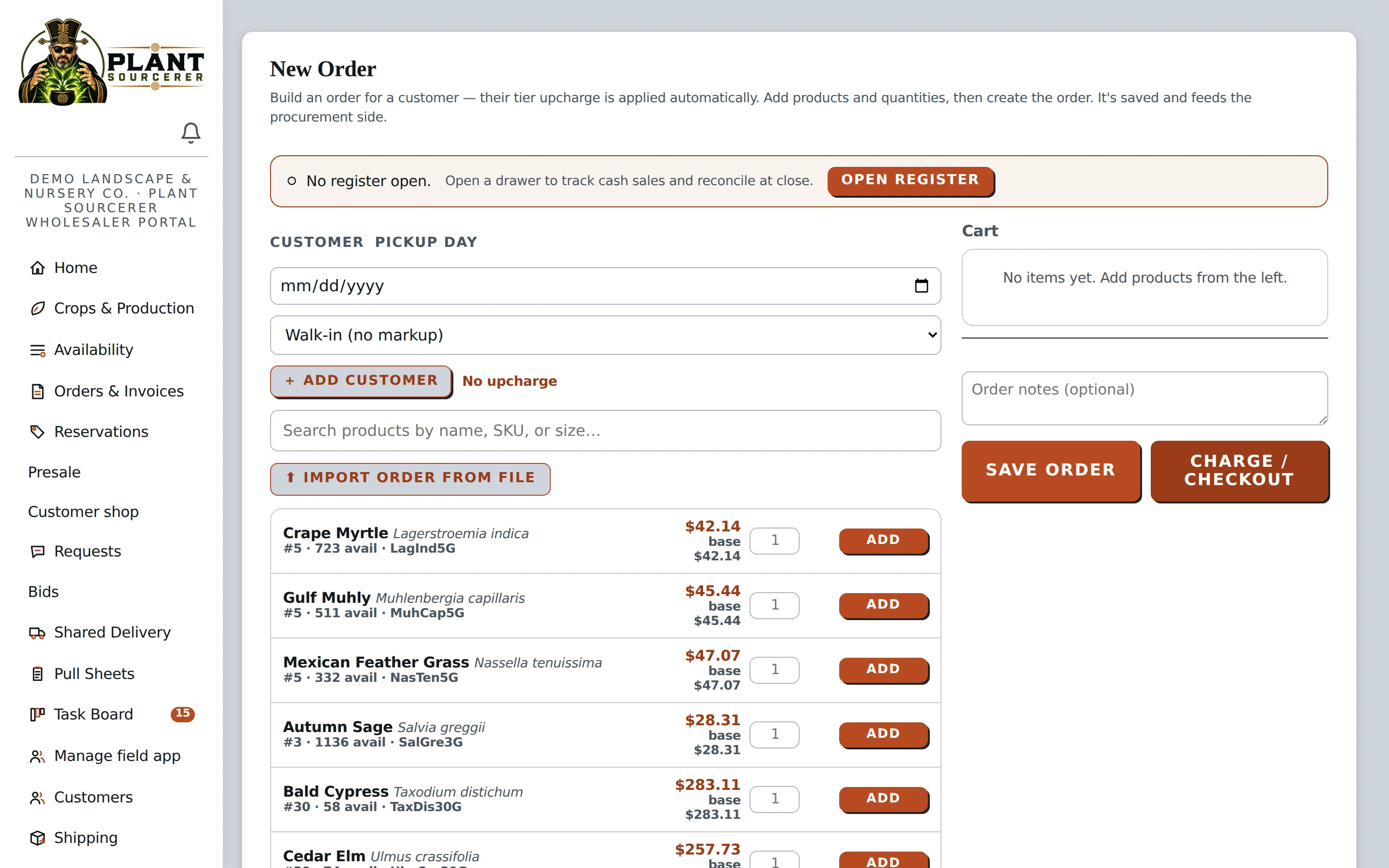
Process Customer Orders Quickly and Easily.
Create orders for walk-in customers, select plants from your available inventory, apply the correct pricing, and process payments, all in one place.
- Create Orders Quickly. Search for plants by name, size, or SKU and add them to a customer's order.
- Apply Customer Pricing Automatically. Use the pricing assigned to each customer without manually adjusting every item.
- Manage Payments. Collect payment at checkout or save the order to the customer's account.
- Keep Inventory Accurate. Automatically update available inventory when orders are processed.

Every truck leaves full. Rosa's run carries three nurseries' orders and one rider, and the procurer already knows when it lands.
Shared Delivery is included with Wholesaler Pro.
Frequently Asked Questions
Have questions about Wholesaler Pro? Here are answers to some of the most common questions about getting started and managing your nursery.
Upload your existing plant list using a PDF, Excel file, CSV, or typed list. Plant Sourcerer makes your available inventory searchable for buyers in your area. You can update your list whenever needed.
No. Customers can access your nursery's app through a link or QR code without downloading anything from an app store. They'll see your available plants and the pricing you've assigned to them.
When a customer reserves plants, those quantities are automatically removed from available inventory until the reservation is confirmed or released.
$349 a month, plus 1.5% on sales you make through Plant Sourcerer: orders you confirm and orders from your customer app. Sales on your own counter register aren't included, and your customers never pay the fee. When a customer pays online, the fee comes out of that payment; anything else is added to your monthly bill. You can see every sale and its fee in your portal.
Yes. Wholesaler Pro supports QuickBooks integration and online payments through your connected Stripe account, helping you manage invoices, payments, and accounting information. When a customer pays online, the 1.5% Plant Sourcerer fee comes out of that payment, so there's nothing extra to pay later for that sale.
Ready to Make Running Your Nursery Easier?
Manage inventory, sell more plants, and simplify daily operations with Wholesaler Pro. Get started with an easy-to-use platform designed for wholesale nurseries and growers.
Spend Less Time Sourcing Plants. More Time Growing Your Business.
Stop spending hours calling growers, comparing availability, and tracking down plants for your projects. Plant Sourcerer makes it easy to source entire plant lists from multiple wholesale suppliers, compare pricing, and manage orders, all in one intuitive platform.
From Plant List to Delivery. All in One Place.
Plant Sourcerer helps you manage the entire plant purchasing process, from finding available inventory and comparing suppliers to approving quotes, placing orders, and tracking deliveries.
1. Find Suppliers
Search available plants from wholesale growers and identify suppliers who can fulfill your project needs.
2. Organize Plant Requests
Bring customer plant lists and requests into one place so your team can review and manage them.
3. Compare & Source Plants
Compare availability, pricing, and supplier locations to find the best options for each order.
4. Approve & Place Orders
Manage customer approvals and generate purchase orders for the suppliers fulfilling your project.
5. Track Orders & Deliveries
Keep track of orders as they're prepared, shipped, and delivered.
Everything You Need to Manage Plant Purchasing More Easily.
From finding available plants to managing supplier quotes, customer approvals, and deliveries, Plant Sourcerer brings your procurement process together in one intuitive platform.
Find Available Plants from Your Wholesale Suppliers.
Search plant availability across your preferred wholesale suppliers and quickly see who has the plants you need, without calling each nursery to check.
Search Your Preferred Suppliers
Find plants from the wholesale growers you already work with, with the option to add new suppliers.
Find Plants Nearby
Search by location to see available plants from suppliers near your project.
Check Current Availability
See available quantities and pricing based on inventory updates from participating growers.
Upload a Plant List and Start Searching.
Instead of searching for plants one at a time, upload your existing plant list and let Plant Sourcerer help identify available inventory from your suppliers.
- Use Your Existing Plant Lists. Upload a PDF, Excel file, CSV, text document, or photo of a plant list.
- Save Time on Manual Searching. Search multiple plants and quantities from one list instead of entering each item individually.
- Search Your Preferred Suppliers. Find plants from your selected wholesale suppliers, with the option to expand your search.
- Review Your Results. See which requested plants are available and which may require additional sourcing.
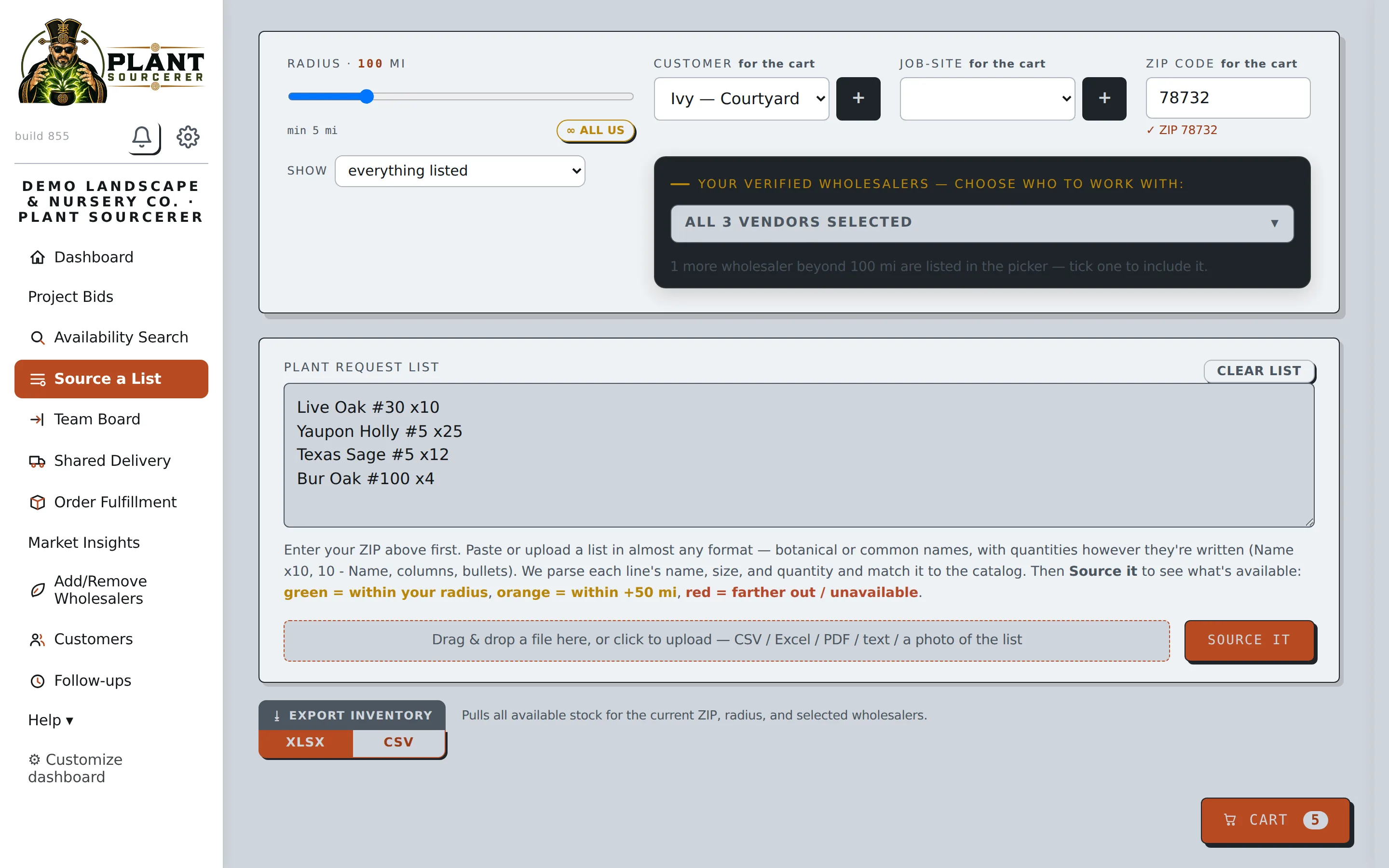
Find the Best Available Options Across Multiple Growers.
Plant Sourcerer helps match your plant list with available inventory from your selected suppliers, making it easier to find the quantities you need across multiple growers.
- Search Multiple Suppliers at Once. Compare available inventory from the wholesale growers you work with.
- Find Plants Based on Availability. See which suppliers have the requested plants and quantities available.
- Compare Pricing & Locations. Review supplier pricing and distance to help make purchasing decisions.
- Identify Missing Plants. Quickly see which plants are unavailable or require additional sourcing.
- Review Alternative Options. Identify plants that may be suitable substitutes when requested inventory isn't available.
25 of 51 units are available today from your suppliers. Widen the search radius and the list re-sources automatically.
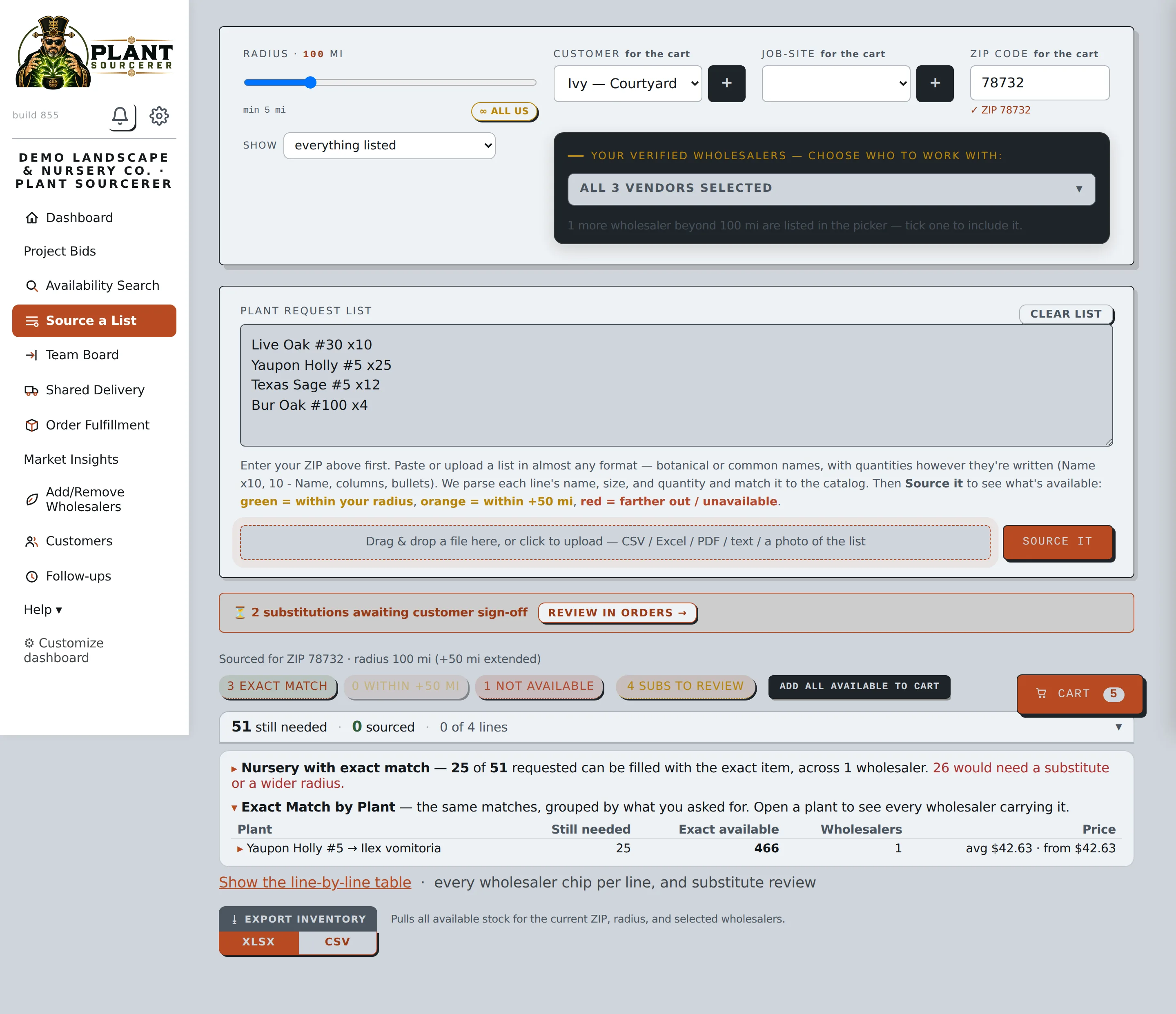
Find Alternatives When a Plant Isn't Available.
When a requested plant is unavailable, Plant Sourcerer helps you find other options so your project can keep moving. Review available alternatives, including different sizes, similar plants, or inventory from suppliers farther away. Share the options with your customer and get approval before making substitutions.
Find Available Alternatives
See other plant options when the exact plant you need isn't in stock.
Compare Your Options
Review different sizes, similar plants, or available inventory from other suppliers.
Get Customer Approval
Share suggested substitutions with your customer before finalizing the order. Substitutions stay clearly identified until they're approved.
The customer signs off before anything is pulled.
The quote goes out with your markup, overall or per wholesaler, as PDF, CSV or email. The customer approves it, and any alternates they chose, from the link. Only then do purchase orders go out and pull jobs get created. Until that signature is on the order, nothing leaves a yard.
- Approval is stage three of seven. The stepper won't advance past it unsigned
- A declined substitution glows red on the board until it's resolved
- The customer is emailed at each later stage: pulled, staged, delivered, with a photo
Needs: customer approved the quote · Sign off first
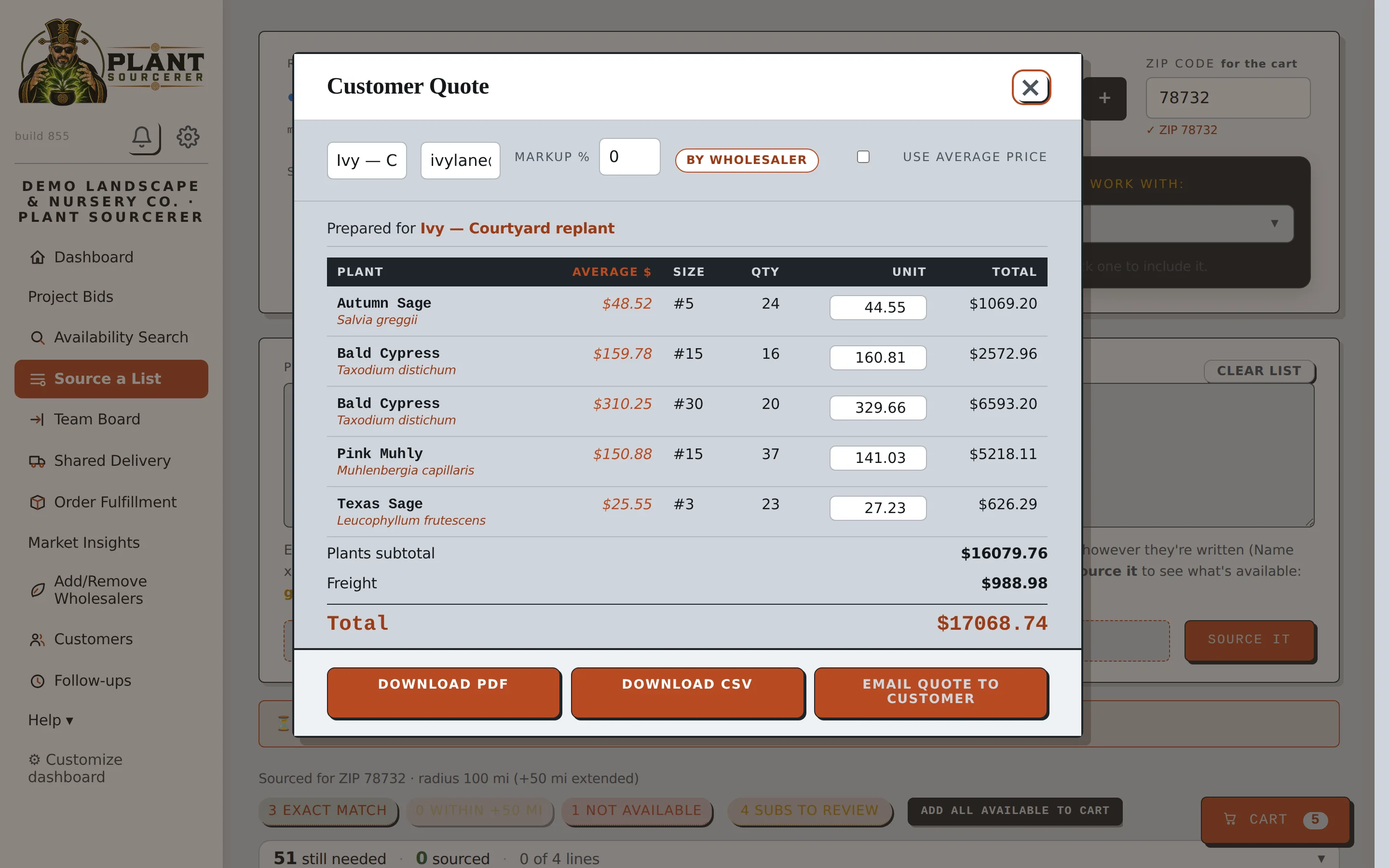
Your markup, remembered.
Every customer has their number. Every quote starts there.
Set it once
Give each customer a default markup and every new quote opens at the right price.
Bend it when you need to
Change it on one quote for one job without touching the default.
One record per customer
Job sites, approvals and the substitutes they picked all live in the same place.
Signed? Then the POs go out, one per grower.
The moment the customer approves, a purchase order goes to each wholesaler's portal with their lines and the pickup day. Their confirmation comes back to your order, and only a confirmed PO becomes a pull job.
- One PO per wholesaler, straight from the signed quote
- Confirmed, partial or declined lands in your notification bell
- Confirmed POs become pull jobs on their side
The team stays on the same page. Literally.
Every order in its stage, who is on it, when it's needed. A calendar gathers follow-ups, deliveries, bid deadlines, crops coming ready and holds expiring onto one month view. Drop a task on any day and assign it by name.
- Board, table or by-wholesaler views
- Due dates turn red on their own
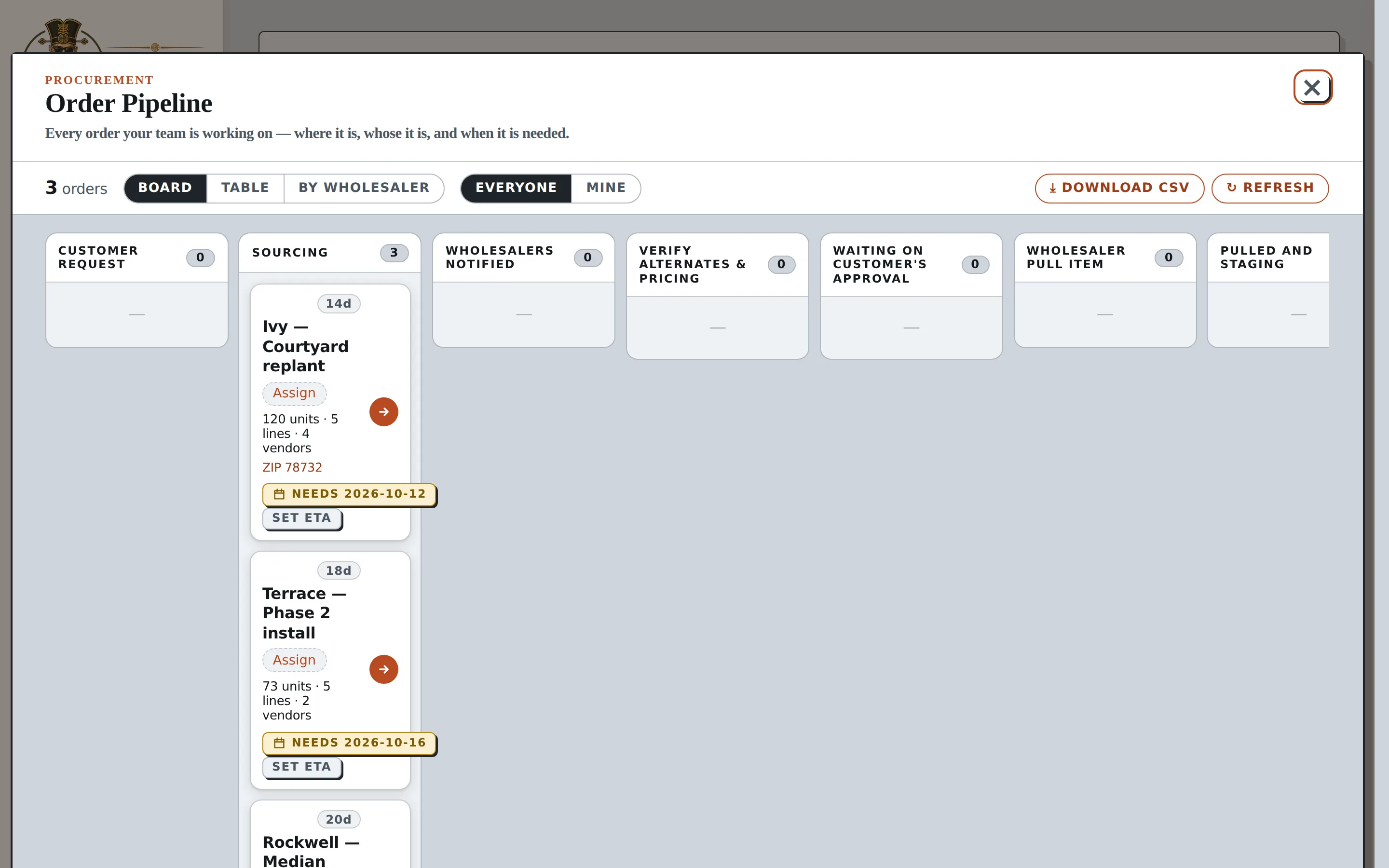
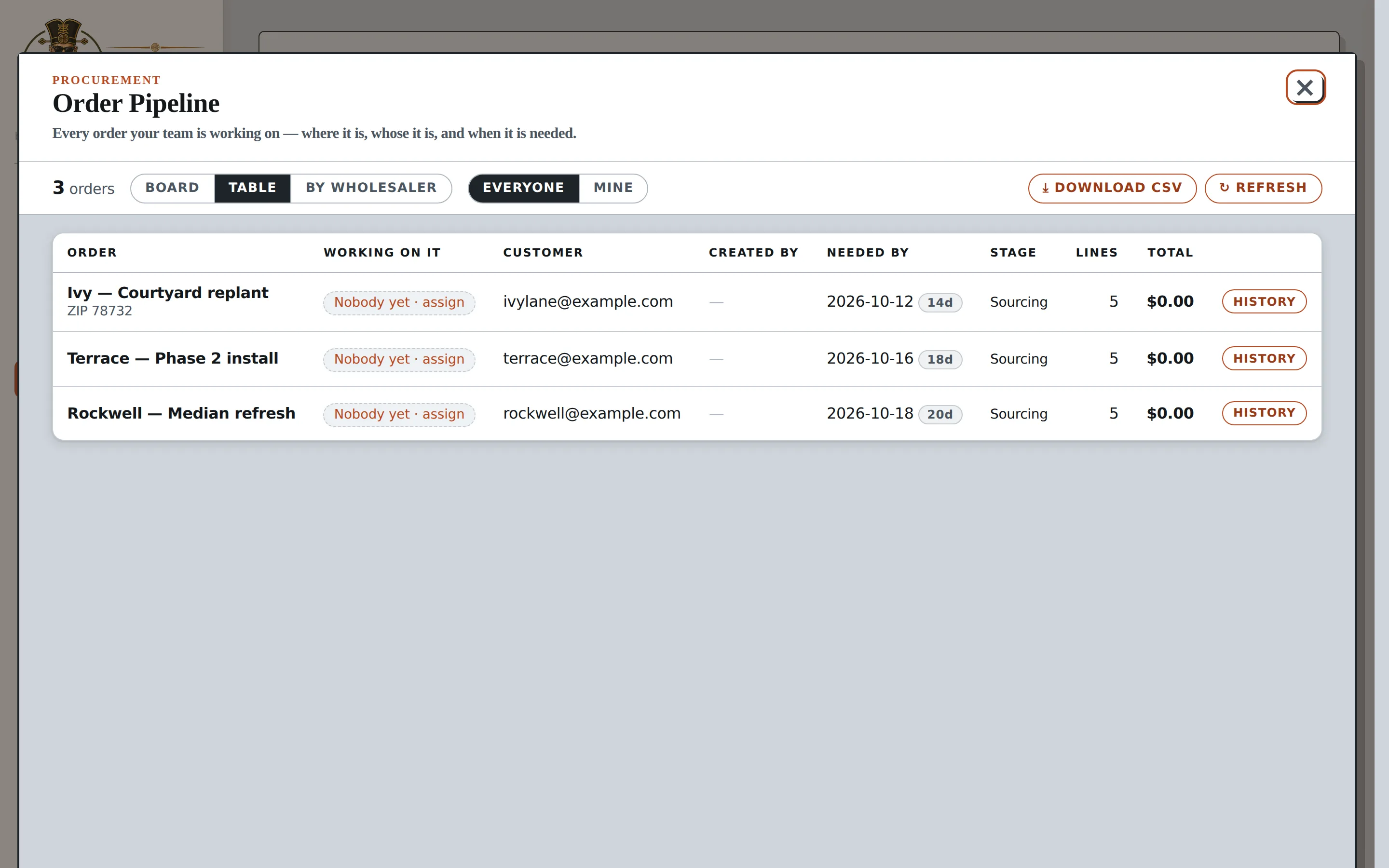
Everyone knows what's theirs.
Hand the work out from the order itself, then watch it get done.
Straight from the order
Turn an order's lines into tasks and give each one a name and a day.
Ticked off in the field
Your team checks lines as they go, and the order moves forward on its own.
Nothing slips
Late work turns red by itself. Nobody has to ask where things stand.
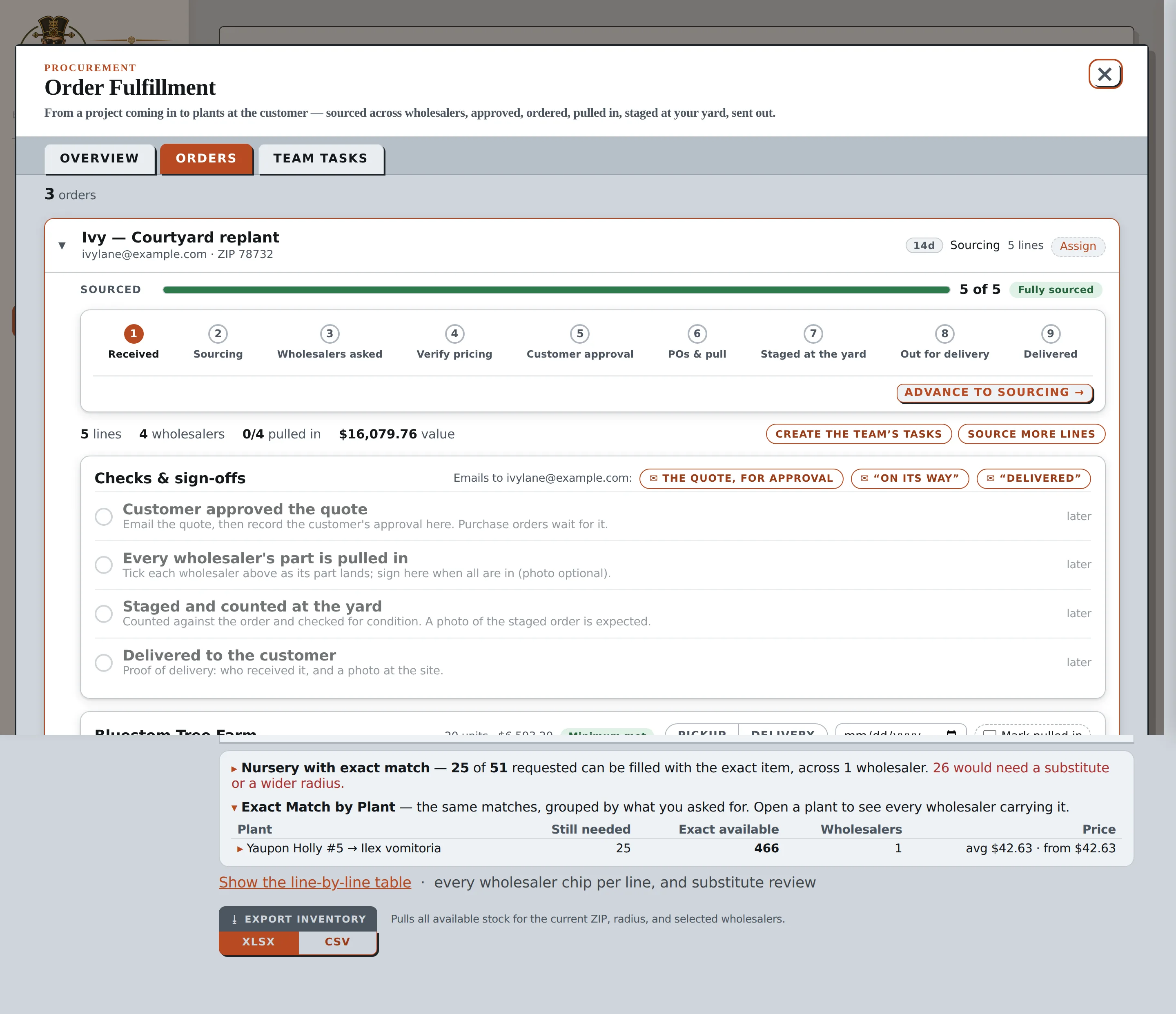
Fulfillment you can see across the room.
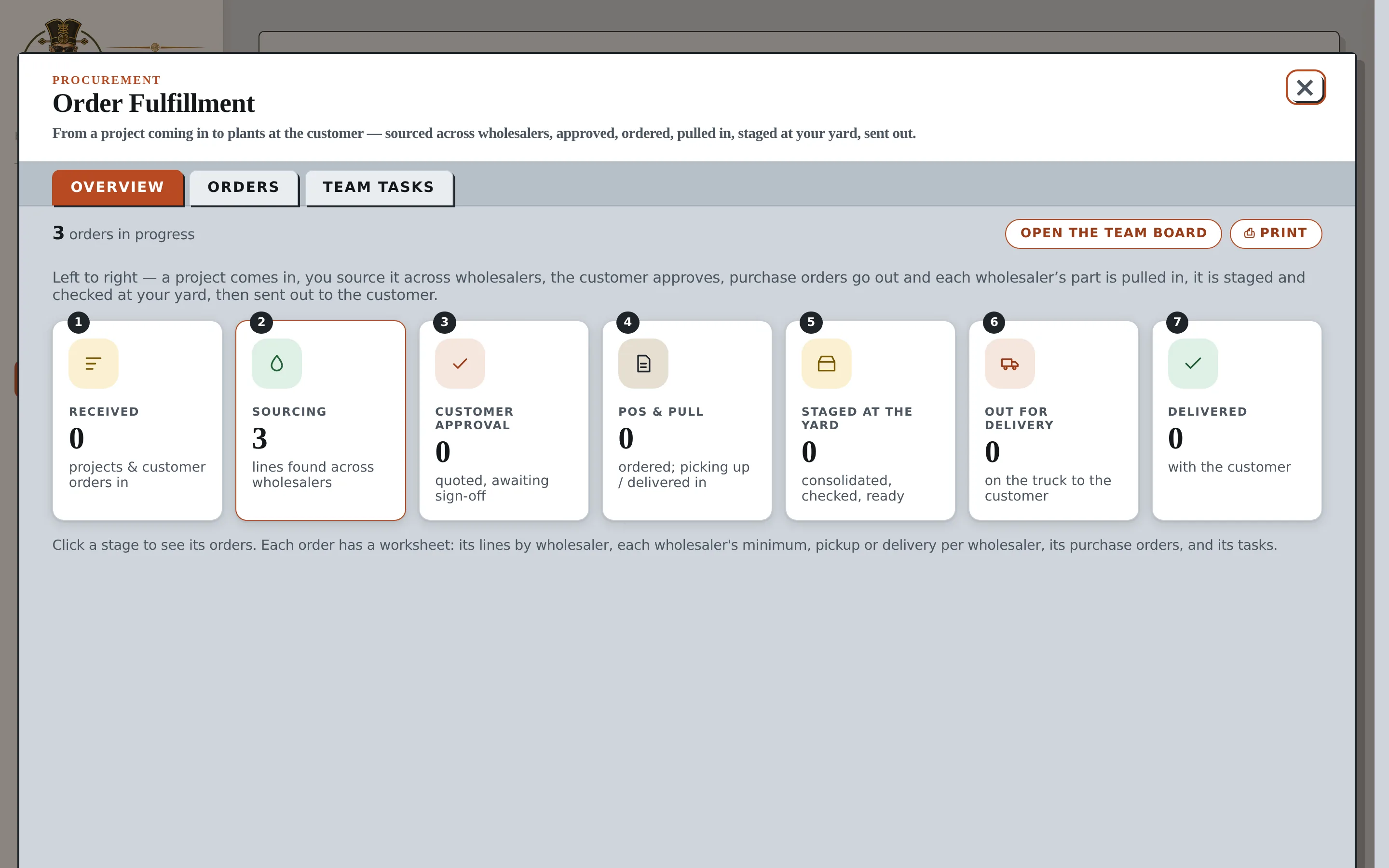
Seven stages from received to delivered, and the customer's sign-off sits in the middle of them: nothing is ordered or pulled until they've approved the quote. After that your team signs pulled-in, staged and delivered, with a photo, and the customer is emailed at each step.
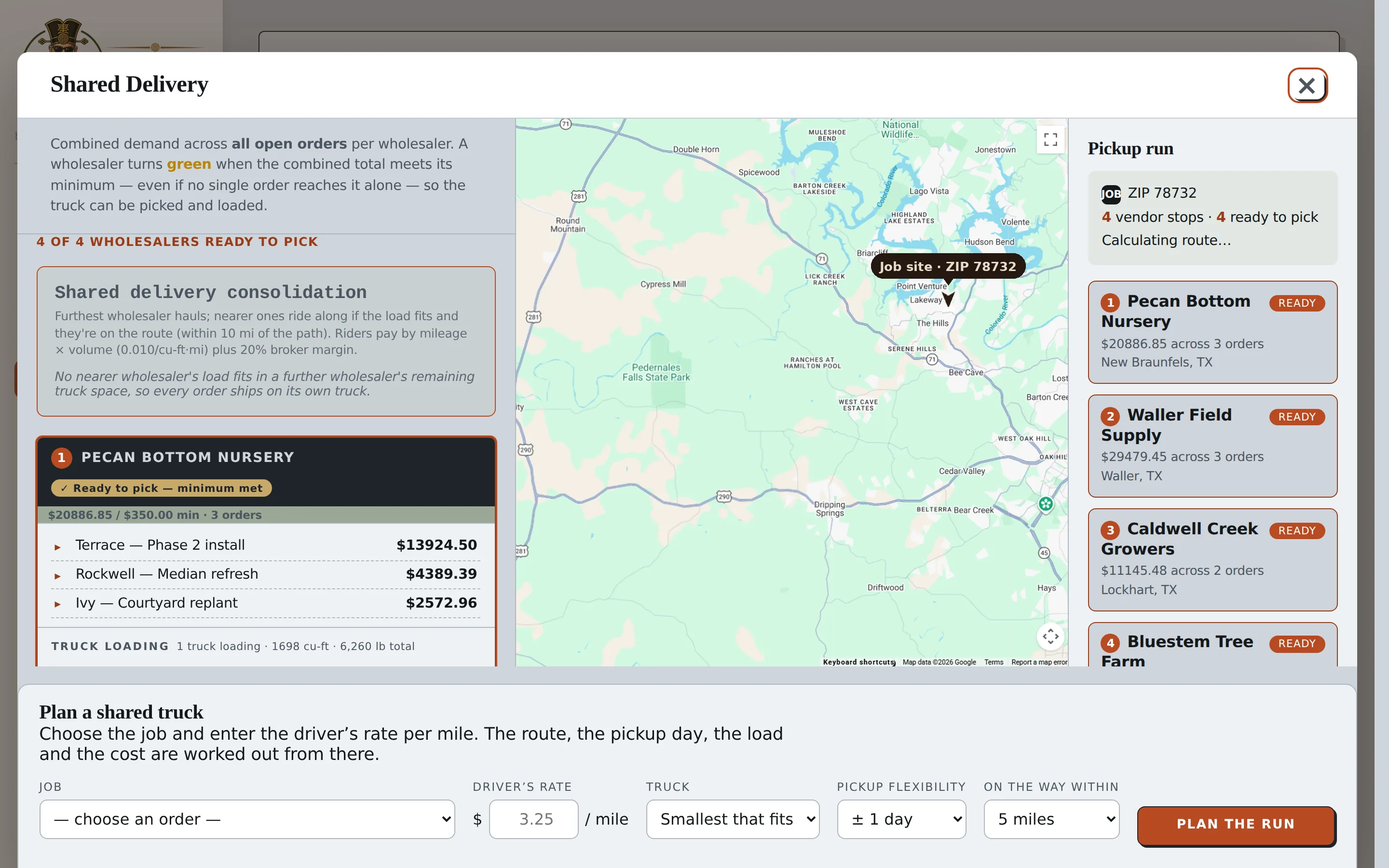
Several orders. One truck.
Demand across open orders is combined per wholesaler, so minimums are met even when no single order reaches one. Choose the job, enter the driver's rate, and the route, the pickup day, the load and the cost are worked out from there.
Three yards, one rider, one drop. Here's the route.
Click a stop to see what's loading there, or play the run.
Illustrative run. In the app, the same route is drawn on a live Google map.
Keep Your Customers and Team Connected.
The Procurement Platform includes five Procure Lite seats, giving your customers and team members an easy way to search available plants, review orders, and approve quotes directly from their phones.
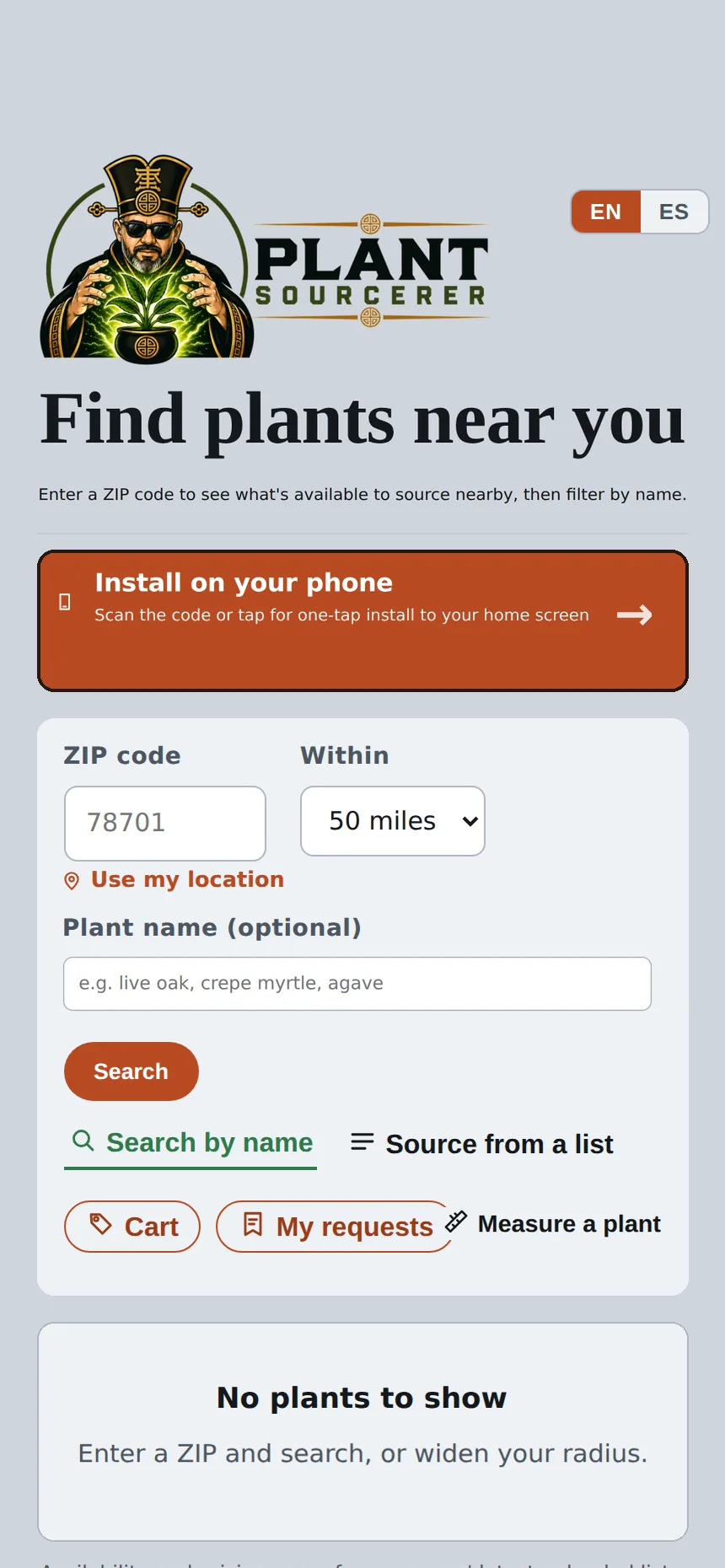
Search available plants
Approve quotes and track orders
Make Customer Approvals Easier
Send customers quotes to review and approve from their phones without waiting for emails or additional paperwork.
Give Your Team Access to Plant Availability
Let team members search available plants and reserve inventory while working on job sites.
Keep Everyone Informed
Share order updates, delivery information, and important details so your customers and team stay connected.

Maya's office is a tailgate. The list goes in at 8. The trucks are on the road by lunch.
Sourcing, quotes, and orders, all from one platform.
Frequently Asked Questions
Have questions about the Procurement Platform? Here are answers to some of the most common questions about sourcing plants, approving orders, and coordinating deliveries.
Upload a spreadsheet, document, or photo of your plant list. Plant Sourcerer searches available inventory from your selected wholesale suppliers and helps you find the plants you need. If something isn't available, you can review suggested alternatives.
Yes. Customers can review and approve quotes directly from their phones. Once approved, the platform can generate purchase orders for the suppliers fulfilling the order.
Shared Delivery helps coordinate plant deliveries from multiple growers by making better use of available truck space. It helps organize orders, delivery routes, and transportation costs so you can reduce unnecessary trips.
Know Which Plants Are in Demand.
Market Insights helps you understand which plants buyers are searching for, what's available from suppliers, and where demand isn't being met. Use real market activity to make more informed purchasing, inventory, and growing decisions.
See Which Plants Buyers Want
Identify the plants receiving the most requests so you can better understand what customers are looking for.
Identify Gaps in Availability
See which plants buyers are requesting but suppliers aren't able to fulfill.
Understand Market Trends
Review plant demand and availability over time to identify trends and changing customer needs.
Make More Informed Decisions
Use market activity to help guide purchasing, inventory planning, and future growing decisions.
Sample data The dashboard below shows example data to illustrate the reports.
Sample data. Unmet demand shows growers what to consider planting next.
Find the Plants You Need, Right When You Need Them.
Procure Lite makes it easy for landscapers and plant buyers to find available wholesale plants near their job sites, compare prices, and reserve inventory, all from their phone.
How It Works
Three simple ways to find and reserve the plants you need, right from your phone.
Buying for a larger project? The Procurement Platform adds supplier bids, customer quotes, and purchase orders.
More Time for Your Projects. Less Time Searching.
Procure Lite helps you find plants and communicate with suppliers, all from one easy-to-use app.
Save Time & Avoid Wasted Trips
- See which nurseries have the plants you need before you drive.
- Compare plant availability and pricing from multiple suppliers.
- Spend less time calling around and driving between nurseries.
Communicate with Suppliers More Easily
- Reserve plants directly through the app.
- Let nurseries know what plants you need and when you need them.
- Keep plant requests organized without endless phone calls or text messages.
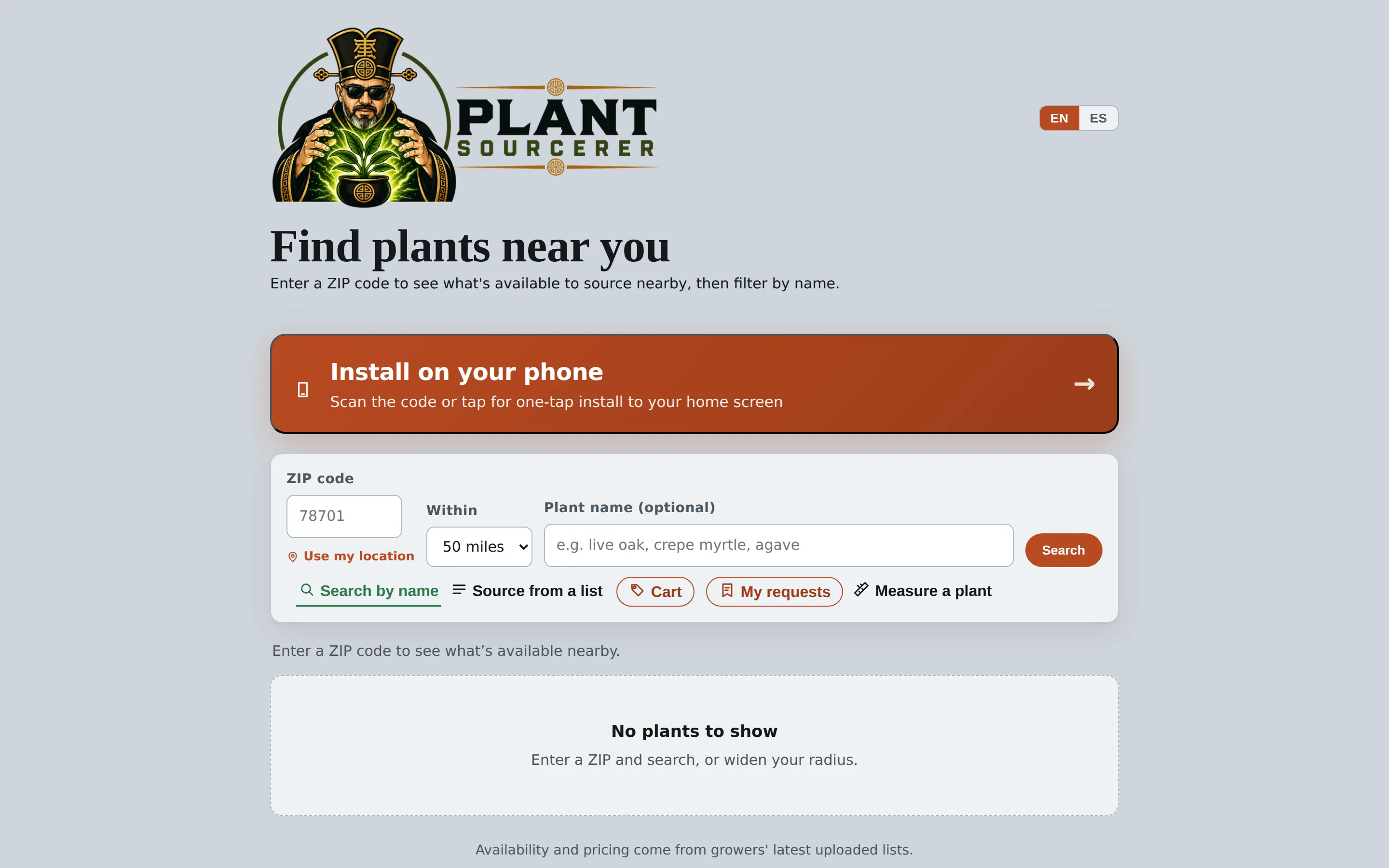
See the App on Your Phone and on Desktop.
Procure Lite works on any phone or computer, in English or Spanish. Here's what it looks like.
Search and reserve from the job site
Get Started with Procure Lite.
$29 per user per month. Billed monthly, cancel anytime. Works on any phone, in English and Spanish.
Find Available Plants Near Your Job Site.
Type a plant, set a radius from your job site or current location, and see every wholesale grower who has it, with sizes, quantities, and prices.
- Results are sorted nearest first.
- Availability comes from growers' latest inventory updates.
- Export what you find as an Excel or CSV file.
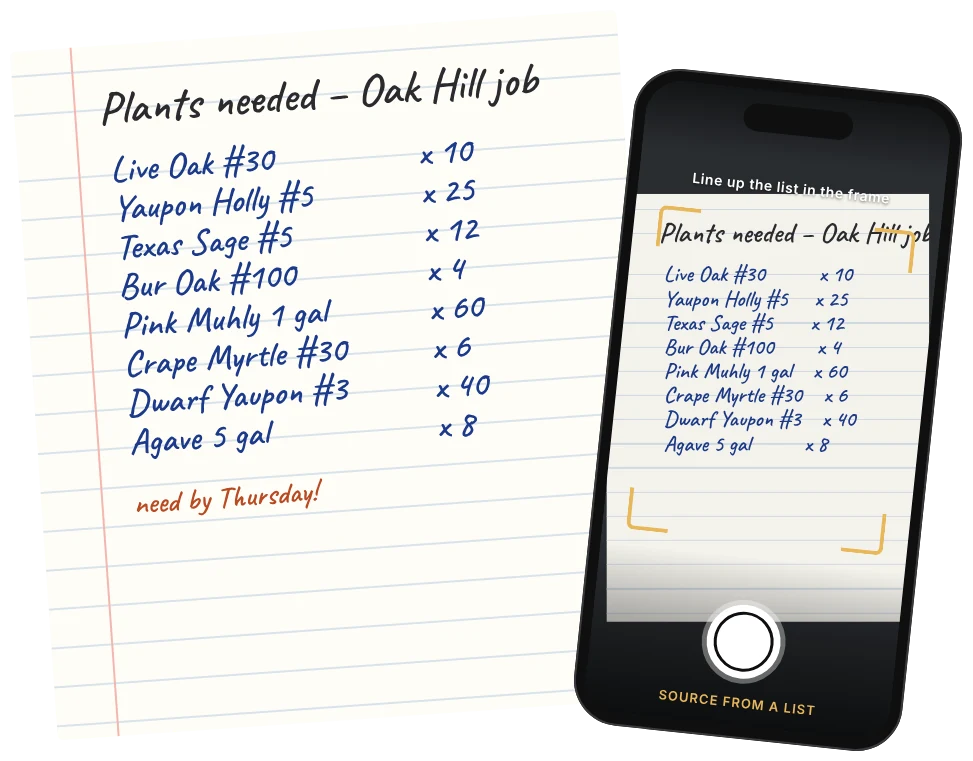
Photograph the List. Let the App Do the Searching.
Take a photo of a handwritten or printed plant list and Procure Lite reads it into a search, then shows you which nearby growers have each plant in stock.
- No retyping and no searching one plant at a time.
- If a grower hasn't listed a price, you'll see "call" instead of a blank.
- Works on any phone or desktop, in English or Spanish.
Compare Suppliers and Reserve What You Need.
See the same plant from several nurseries side by side, with price and distance, then reserve it right from the search. The grower confirms, and the plants are waiting when you arrive.
- Compare availability and pricing from multiple suppliers.
- Reserve plants in one tap.
- English and Spanish, one tap to switch.